What is a crypto wallet drainer? How to avoid one
What is a crypto wallet drainer? One approval you sign lets it move your tokens out. How it works, how to read a request and how to revoke it.
What is a crypto wallet drainer? It is a scam kit, not a virus. It lives on a website that looks like a token claim, an NFT mint or an airdrop. You connect your wallet, press one button, and your wallet asks you to sign something. That signature is the whole attack.
This guide shows what the trap looks like, why a signature is not a password even though it feels like one, how to read what you are about to sign, how to revoke an approval you regret, and what to do afterwards.
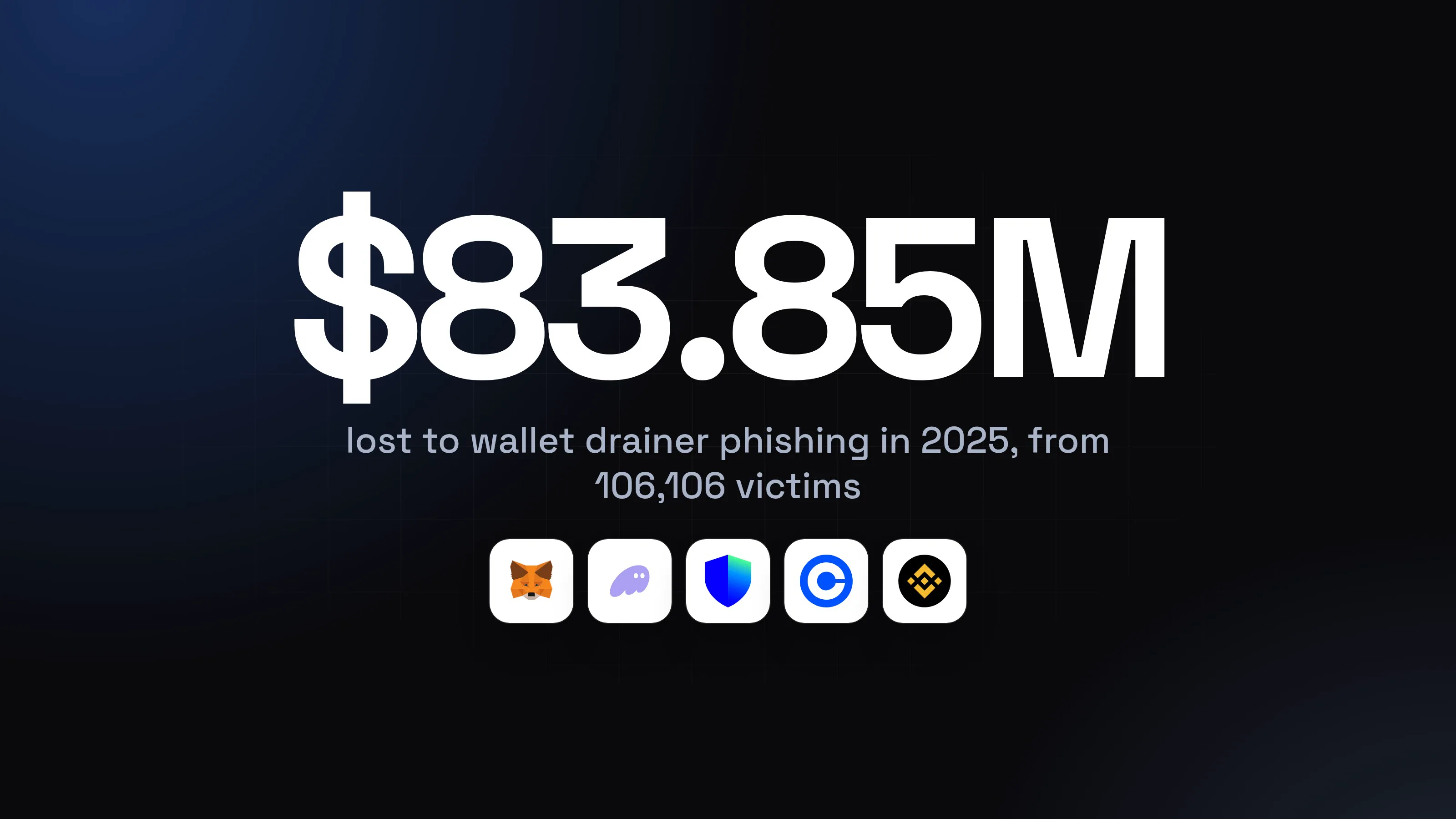
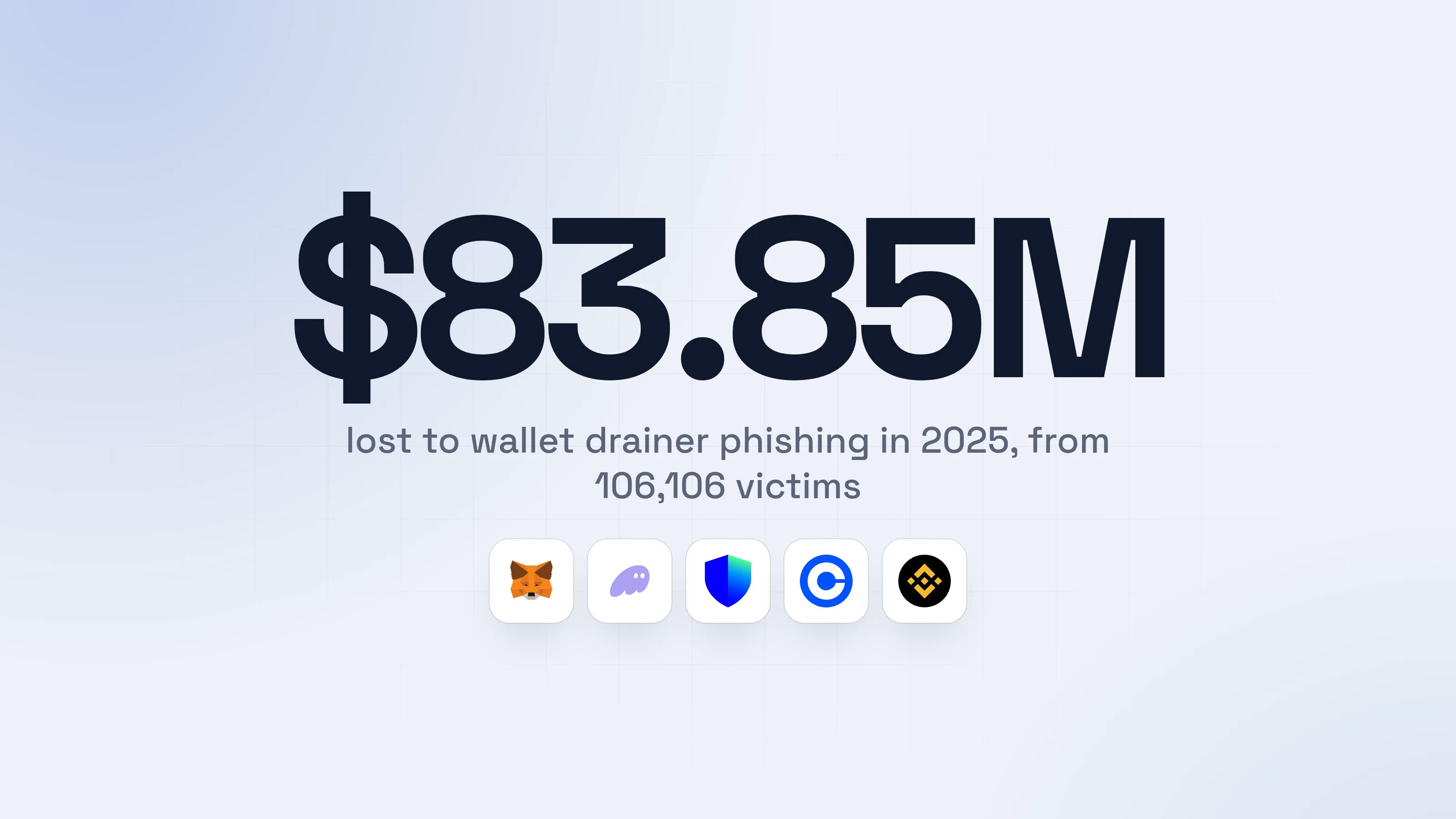
Source: Scam Sniffer, 2025 annual report, Jan 2026
Scam Sniffer's count fell sharply from 2024, and the same report says drainers did not go away: they moved to fewer, richer targets and newer signature types. The FBI's 2025 report counts $11.37 billion in losses in complaints that involved crypto, but it does not separate drainers from the rest, and most of that money, $7.2 billion, went to long investment scams. Drainer losses are a smaller slice, and the one you can do the most about yourself.
How does a crypto wallet drainer work?
A wallet drainer works in two steps: a fake site gets you to approve token spending, then the attacker moves your funds out using that approval. Group-IB describes it the same way: after a victim approves the transaction, the operators can withdraw the funds from the wallet.
Chainalysis calls the technique approval phishing. You believe you are clicking "approve" on something small, like a mint or a trade, and the scammer ends up with the authority to take everything the approval covers.
The site never needs your seed phrase or your password. Everything happens through the one thing a wallet is built to do: sign requests you accept.
Why is a signature not a password?
A password or seed phrase hands over your whole wallet, while a signature is a yes to one specific message. The danger is that some messages say "this contract may spend my tokens", and that one yes lasts until you take it back.
Think of it as signing a blank-looking form at a counter. You are not giving the clerk your house keys. You are saying "yes" to whatever the form says, and a drainer's form says "you may take my tokens".
Some approvals do not even cost you a network fee to give. A Permit is an off-chain signature, meaning you sign a message instead of sending a transaction. Revoke.cash notes that scammers rely on this, because the warnings that appear for a traditional approval are absent. Users may sign thinking they are only signing in.
What does a drainer attack look like, step by step?
It looks like a normal mint or airdrop, and only the last prompt is different. The example below is invented: the wallet, the project and the site are fictional.
- 1A claim link appears where you already hang outGroup-IB lists fake airdrops, malicious ads and messages on Discord, Telegram and X as the usual doors.Glimmerpaw Foxes communityServer, 18,204 membersFINAL CALL. Free claim for early members closes in 1 hour. Connect and claim before it is gone.109:12glimmerpaw-mint.example/claimGlimmerpaw-mintGlimmerpaw Foxes: claim your free mintEarly holders only. 1 hour left.Write a message
- 1A hacked or fake moderator account, with a deadline
- 2The page looks like the real projectSame artwork, same colours, a countdown and one big button.Glimmerpaw FoxesMintRoadmapCommunity
Connect your wallet to see what you can claim.
Connect wallet2- 1A lookalike address, not the one you bookmarked
- 2Harmless alone, but it is the door to the next prompt
- 3Your wallet asks you to approve spendingYou came to claim something. The prompt says the opposite.Coinlace: signature requestRejectSign
- 1Nothing to claim needs this. It is a permission to take
- 2Unlimited means everything you hold, now and later
- dangerYour tokens leave the walletOften within minutes, in one transaction you never see being made.
What one signature costs you
- The tokens the approval coversStablecoins and other tokens, moved out in one go
- NFTs, with a different promptThe same trick works with a collection-wide approval
- No way to call it backA finished transfer on the blockchain is final
You never typed a password. You signed, and it counted.
Drainers also arrive through a Permit signature with no token spending prompt at all, and after Ethereum's Pectra upgrade through new signature types. Scam Sniffer logged two large EIP-7702 cases in August 2025, worth $2.54 million together. The page changes, the prompt changes, the idea does not: you sign, and a stranger's contract is allowed to move your assets.
antitheft does cover a different threat that often travels with it: a program on your computer trying to open your wallet files or saved passwords. Only the wallet app that owns them gets in. The guide to what an infostealer is covers that one, and the wallet protection guide puts the whole picture together.
How do I read what I am signing?
Read the verb, the spender and the amount, and compare them with what you came to do. If the prompt asks for more than your reason for being there, reject it.
A short routine that takes ten seconds:
- Start from an address you typed or bookmarked. Not a link in a chat, a reply or an ad. Group-IB lists those as the main doors in.
- Say out loud what you want to do. "Mint one NFT." "Sign in." "Swap." Then check the prompt does exactly that.
- Read the verb. "Sign in" and a plain message are one thing. "Approve", "Permit", "Increase allowance", "Set approval for all" give spending rights.
- Check who the spender is. A contract address you do not recognise, with no name, is a reason to stop.
- Check the amount. "Unlimited" almost never has to be unlimited. Many wallets let you edit it down to the exact amount before you sign.
- If your wallet shows a preview of what will leave your wallet, read it. A claim or a free mint should not show your tokens going out.
- If you cannot read the request, reject it. A wall of hex characters or a message you cannot follow is a no.
- A countdown is a reason to wait, not to hurry. Real mints do not vanish if you take five minutes to check.
- 1A plain sign-in message: fine to signIt says what it is, names the site you typed, and asks for nothing to be spent.Coinlace: sign-in requestCancelSign in
- 2A spending approval: stop and readThis one is for a real purpose only if you started a swap or a purchase.Coinlace: spending approvalRejectSign
- 1No name. You did not start anything that needs it
- 2Edit it to a set amount, or reject
- 3A request you cannot read: rejectIf you cannot tell what you are agreeing to, nobody has told you.Coinlace: signature requestReject2Sign
- 1Unreadable text hides what the signature does
- 2The right answer to anything you cannot read
- safeReject, close the tab, and open the project from your bookmarkYou lose nothing by saying no. A real claim is still there at the real address.
For power usersThe words on the prompt, in plain terms
approve(an "Approval", "Spending cap" or "Allowance"): lets a contract spend an amount of one token. Revoking it means approving again with the amount set to 0 (Revoke.cash).setApprovalForAll("Set approval for all"): the NFT version. It lets a contract move any NFT you hold in that collection. Revoking sets it back to false (Revoke.cash).- Permit (EIP-2612): the same permission given as an off-chain signature, with no transaction and no network fee when you sign. Permit2 is a related signature type, and Scam Sniffer counts both in its figures.
- EIP-7702: signatures that, after Ethereum's Pectra upgrade, can hand a contract's code control over an account's actions. Scam Sniffer saw its first large cases in August 2025.
- None of these is dangerous by itself. Swaps and marketplaces use them every day. The risk is who the spender is and whether you started the action.
Why do people fall for it?
People fall for it because every step looks like something they have done before: connect, press a button, confirm in the wallet. The trap hides in the one prompt people have learned to click through.
- The lure fits what you want. A free mint, an early claim, an airdrop for something you actually use.
- The link comes from a place you trust. A hacked account of a project or a friend, an ad above the real site in a search, a "support agent" in a chat.
- The countdown removes the pause. One hour left is built so that you act before you check.
- The prompt hides in plain sight. Wallets show a technical request in a small box, and most people sign it without reading a line.
The same trap sits behind fake wallet apps and swapped addresses. The guides on fake crypto wallet apps and clipboard address swapping cover those, and a seed phrase typed into a fake site is an even worse version of the same mistake.
How do I revoke a token approval?
You revoke an approval by finding it in an approvals checker and pressing Revoke, then confirming a small transaction in your wallet. It does not undo a theft that already happened, but it stops the next one.
Two long-running tools do this: Revoke.cash and the Token Approvals page on Etherscan. Type the address into your browser yourself or use a bookmark, because look-alike checkers exist too.
- 1Open the checker you chose, and enter your walletRevoke.cash lets you enter an address or connect a wallet. Etherscan asks you to Connect to Web3.Approval checkerNetwork: Ethereum0x2c18...e5d4AllImagesVideosNews
Pick the network. Approvals are listed per network, so check each chain you use.
- 2Find the approvals you do not recogniseThe risky ones: an unknown spender, an unlimited amount, a collection-wide NFT approval.Revoke2Swap app on market.example50 USDC / Limited / KnownUnknown contract 0x7f3a...9c21Unlimited USDC / 3 days ago / Unknown1
- 1This is the one the fake claim page created
- 2Revokes only the approval on this row
- 3Confirm in your wallet and pay the small network feeA revoke is a normal transaction. Revoking and approving both cost a fee on Ethereum, so keep a little in the wallet.Coinlace: confirm transactionRejectConfirm
- safeThe list is clean, and the habit is setCheck again after every mint, claim or new app, and once a month for old ones.
Revoking costs a fee, and approvals are per network, so check each chain you use. If you use a hardware wallet, do this on a computer you trust and confirm on the device's own screen.
For power usersA signature you gave but nobody has used yet
A Permit is a message, not a transaction, so it can exist before it does anything. Revoke.cash says you may be able to invalidate a signature before the scammer activates it, but that is generally very hard because they activate quickly. Once it is active it shows up in your approvals list like any other, and you revoke it there. So when you realise what you signed, go to the checker first and revoke, not later.
What do I do if I already signed a drainer?
Revoke the approval first, then work out whether it was only an approval or something worse, and move what you need to protect. Revoke.cash splits the two cases clearly.
- Stop interacting. Close the site. Do not sign anything else, not even a "fix" it offers.
- Revoke the approval now. Use the checker, on every network the site could have touched. For approval scams, Revoke.cash says to revoke immediately and carry on using the wallet.
- Move what is still there if you doubt the wallet. If you only gave an approval and revoked it, the wallet is still yours. If it still feels unsafe, create a new wallet on a clean device and send the rest there.
- If a seed phrase or an app was involved, treat the wallet as lost. Revoke.cash states that after a seed phrase compromise there is nothing you can do to re-secure the wallet. Check the computer for malware, change your important passwords from another device, and create a new wallet with a new seed phrase written on paper. The guides on seed phrase safety and what to do when your passwords are stolen go step by step.
- Report it. If you are in the United States, file a complaint at ic3.gov. The FBI asks for a complaint whatever the amount and the full transaction details.
- Ignore anyone who offers to get it back. After a loss, strangers in chats and replies offer recovery for a fee. The FBI's 2025 report counts 10,516 recovery scam complaints and $1.4 billion in losses.
Be honest with yourself about the money. Revoke.cash says once your assets are stolen there is no way to get them back. What you can still protect is everything else in the wallet.
How do I protect my wallet from drainers?
You protect it with habits, because the attack is a decision you make. Four of them do most of the work.
- Use a separate wallet for mints, claims and new apps. Keep in it only what you can afford to lose, and keep your savings in a wallet that never visits a new site.
- Type or bookmark the addresses of the projects you use. Never start from a link in a chat, a reply, a search ad or a message from someone you have not verified another way.
- Read the request, every time, with your reason in mind. Verb, spender, amount, and whether it matches what you came for.
- Revoke old approvals. Once a month, and after any mint, claim or new app.
Add a hardware wallet for the savings wallet. It keeps the seed phrase off your computer, and its own screen gives you a second place to read what you are signing. It does not decide for you, so the reading habit is still the part that protects you.
Questions people ask
Can a wallet drainer steal my crypto if I only connect my wallet?
Connecting on its own shares your public address and nothing more, so it does not give a site the right to move your tokens. The danger is the next prompt. A drainer site connects first, then asks you to approve token spending or sign a message you did not start. Connecting is harmless. Signing is the step to read.
Is a signature the same as a password or a seed phrase?
No, and that is why drainers work. A password or seed phrase gives someone control of the whole wallet. A signature is a yes to one specific message. The trap is that some messages say "this contract may spend my tokens", and that single yes is enough for the contract to take them later without asking again.
How do I know if I signed a malicious approval?
Look at your approvals list in a checker such as Revoke.cash or the Token Approvals page on Etherscan, by typing in your own wallet address. Anything you do not recognise, especially an unknown spender with an unlimited amount, is a reason to revoke it. Check every network you use, because approvals are listed per network.
Can I get my crypto back after a drainer takes it?
Almost never. Revoke.cash states it plainly: once assets have been stolen there is no way to get them back. What you can still do is revoke the approval so nothing more is taken, and report it at ic3.gov if you are in the United States. Be careful with anyone who offers to recover the funds: the FBI counted 10,516 recovery scam complaints and $1.4 billion in losses in its 2025 report.
Does a hardware wallet protect me from a drainer?
It protects your seed phrase, which never leaves the device. It does not decide whether you should sign. If you approve a drainer's request on the device, the device signs it. Read the request on the device's own screen, and treat a prompt you cannot read as a no.
How do I revoke a token approval?
Open an approvals checker by typing its address yourself (Revoke.cash, or Token Approvals on Etherscan), enter or connect your wallet, pick the network, find the approval you do not trust and press Revoke. Your wallet then asks you to confirm a transaction, which costs a small network fee, so keep a little of the network's coin for it.
Does antitheft stop crypto wallet drainers?
No. A drainer works through an approval you sign yourself, inside your own wallet, so there is no other program for antitheft to refuse. What protects you here is habit: read what you sign, use a separate wallet for mints and airdrops, and revoke old approvals. antitheft does cover a different threat, programs on your computer that try to read your wallet files and passwords.
the short version
A crypto wallet drainer is a fake mint, airdrop or claim page that gets you to sign one approval in your own wallet. That signature lets the attacker's contract move your tokens, and it does, usually within minutes. Nothing is hacked and no password is stolen. Read every request before you sign, never approve spending you did not start, and revoke old approvals.
sources
- Scam Sniffer: 2025 annual report, crypto phishing losses fall 83% to $84 million (Jan 2026)
- FBI Internet Crime Complaint Center: 2025 Internet Crime Report (PDF) (Apr 2026)
- Chainalysis: What is approval phishing? (Jun 2026)
- Group-IB: Crypto wallet drainers, how they work and how to prevent them
- Revoke.cash: What are token approvals?
- Revoke.cash: What are EIP2612 permit signatures?
- Revoke.cash: How to revoke token approvals
- Revoke.cash: You have been scammed, now what?
- OpenSea Help Center: How can I revoke token approvals and permissions on Ethereum?