Protect Claude Code from supply chain attacks: npm, plugins
How to protect Claude Code from supply chain attacks: the packages, plugins, MCP servers and skills it installs for you, and the settings that lock each down.
To protect Claude Code from supply chain attacks, you have to watch what it brings in, not only what it writes. Claude Code (the claude command) adds packages when it writes code, runs npm install and pip install for you, installs plugins from marketplaces, connects MCP servers and loads skills. Each of those is someone else's code running under your account.
This guide covers each route, one walkthrough of a Claude Code malicious package, and the real settings that lock each one down. The worms that plant themselves in Claude Code's config are in our guide to AI agent supply chain attacks; permission modes and cloned repos are in Protect Claude Code.
What does Claude Code install on my computer?
Claude Code installs whatever your task needs, and every piece of it runs with your permissions. Five routes bring outside code in:
- Packages it adds while writing code. It picks a library by name, writes it into
package.jsonorrequirements.txt, and installs it. - Installs it runs for you:
npm install,pip install,npxand the install scripts that come with them. - Plugins and plugin marketplaces you add with
/plugin. A plugin can carry hooks, MCP servers, skills and its own programs. - MCP servers added with
claude mcp add, or shipped in a project's.mcp.json. - Skills, folders of instructions and scripts in
~/.claude/skills/or a project's.claude/skills/.
The supply chain attack guide explains the idea in plain words. Below, each route gets its own fix.
Can Claude Code install a fake package? (slopsquatting)
Yes. When a model "remembers" a library that does not exist, an attacker can register that exact name and wait for an agent to install it. This is called slopsquatting, and the Claude Code slopsquatting risk is real because Claude installs as well as suggests.
The names are predictable. In May 2026 an independent researcher tested five models released between October 2025 and March 2026, Claude Sonnet 4.6 and Claude Haiku 4.5 among them, on almost 200,000 prompts. They invented package names in 4.62% to 6.10% of answers. 127 made-up names came out identically from all five models, and after disclosure to PyPI and Socket, 53 of them could still be registered by anyone.
Auto mode does not catch this. Its documented defaults allow "installing dependencies declared in your lock files or manifests". It judges the command, not the package's publisher or age.
Since npm 12 (July 2026), a dependency's install scripts no longer run unless you approve them. The attack still works on npm 11 or older, with package managers or settings that still run scripts, once you or Claude approve a package's scripts, or when the bad code runs the moment your app imports the package. Here is how that looks from your chair.
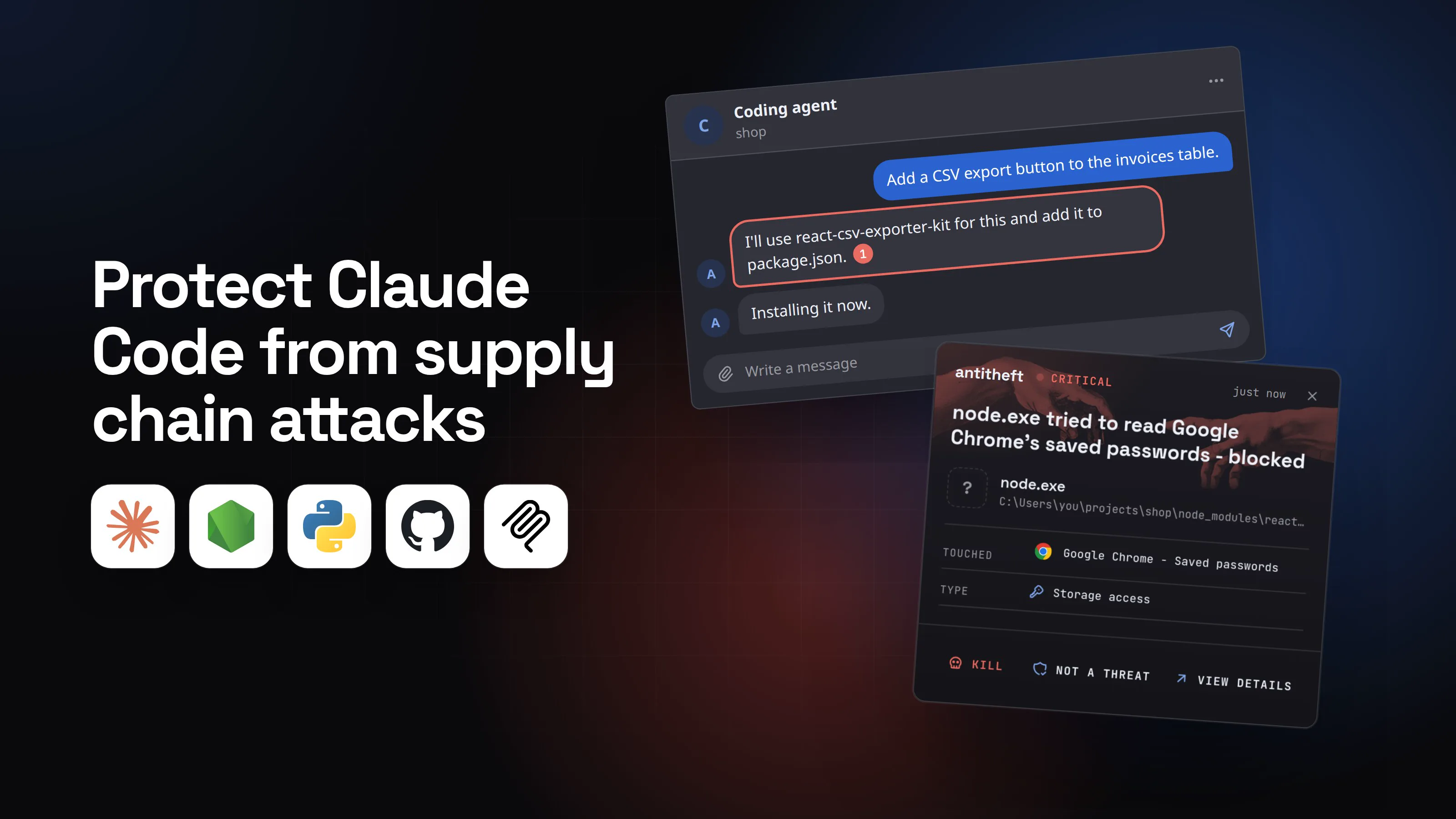
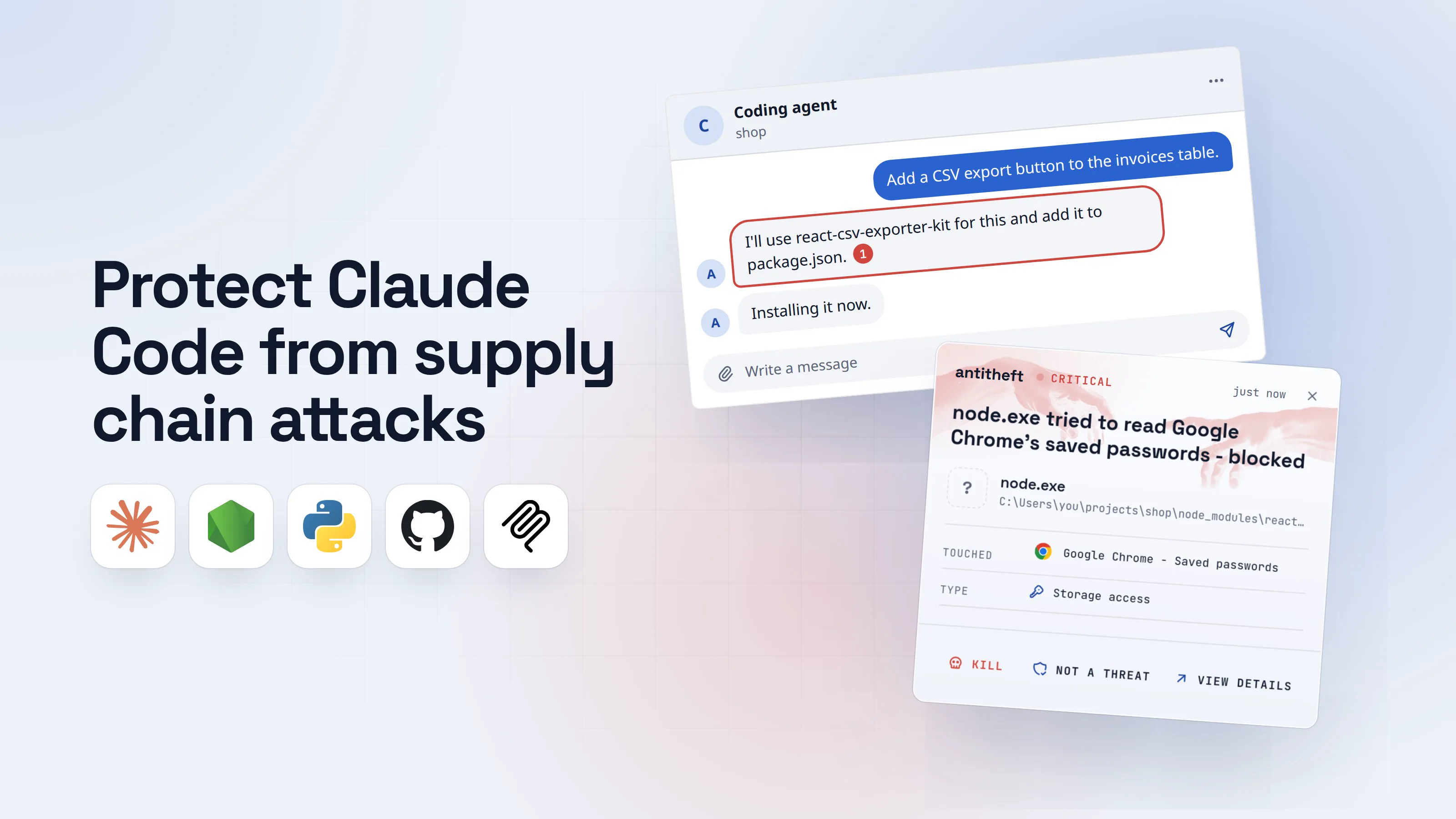
- 1You ask Claude Code for a small featureAn everyday request. Claude decides it needs a library for it.Coding agentshopAdd a CSV export button to the invoices table.I'll use react-csv-exporter-kit for this and add it to package.json.1Installing it now.Write a message
- 1A name that sounds right. Nobody checked who published it
- 2Someone registered that exact name days earlierModels invent the same wrong names again and again, so an attacker only has to claim them. This is what you would see if you looked it up.react-csv-exporter-kitv1.0.3CodeIssuesWiki
Fast CSV export for React tables.
Published 6 days ago · 1 version1Maintainer: tabletools-devInstall script: node setup.js2- 1Brand new, from an account with nothing else
- 2Runs on your computer the moment it installs
- 3The install runs, and so does its scriptOn npm 11 or older, or once its scripts are approved, it runs without a word. The button works.Terminal
PS C:\Users\you>you@MacBook ~ %you@laptop:~$npm install react-csv-exporter-kit
> [email protected] postinstall1
> node setup.js
added 3 packages in 4s
- 1The package's own code, running as you
- dangerThe script reaches for your browser and your walletsIt runs under your account, so everything you are logged in to is in reach.
What the install script takes from you
- Every saved browser passwordEmail, GitHub, cloud consoles, exchanges
- Your logged-in sessionsAccounts open without a password or 2FA code
- Your crypto walletsBrowser and desktop wallets, emptied for good
All of it before you even click the new button.
With antitheft
With antitheft, the stealer is stopped at your passwords
- Caught the moment it reaches for your passwords or wallets
- On Linux refused before the file opens, on Windows and macOS stopped right after
- Even the most advanced malware, the kind no antivirus has seen yet
- Touched
 Google Chrome - Saved passwords
- Type
- Storage access
- Touched
- Google Chrome - Saved passwords
- Type
- Storage access
- Touched
- Google Chrome - Saved passwords
- Type
- Storage access
Keep stealers out of your passwords and wallets
- Guards passwords, browser logins and wallets
- Stops malware your antivirus misses
- On Windows, macOS and Linux
To your computer, that script is just node, started by a package Claude installed. antitheft works from a different rule: only Chrome may open Chrome's passwords, only your wallet app may open your wallet. On Linux a script nobody has seen before is refused all the same; on Windows and macOS antitheft stops it the moment it touches them. On Linux that holds even though the package manager Claude ran is allowed: what an install script starts is refused your passwords, logins and wallets, and cannot add itself to the places that start with your computer.
The same script also goes for your npm token in ~/.npmrc, your GitHub token and Claude Code's own login. antitheft's Activity view shows you which programs read the npm and GitHub tokens, along with SSH keys and .env files, so you know what to rotate. Claude Code's own login is an ordinary file that antitheft does not lock, so rotate that one after any scare.
Are Claude Code plugins safe? (plugins and marketplaces)
A plugin is software you install, and Claude Code plugin security starts there. Anthropic's docs say it plainly: a plugin "can execute arbitrary code on your machine with your user privileges." Its hooks run shell commands, its MCP servers run as processes, and its bin/ folder is added to the path of Claude's shell. Hooks and MCP servers run outside the sandbox.
A marketplace is the catalog you install from. Anthropic reserves its official names, such as claude-plugins-official, for repositories under github.com/anthropics/, so a stranger cannot pose as one. Everything else is third-party, including the ones a coworker shares. Two findings from this year show where the risk sits:
- A plugin that picks your dependencies (January 2026): Prompt Security built a harmless-looking "Python Dependency Helper" plugin whose skill made Claude Code install a poisoned build of the real
httpxlibrary whenever you asked for it. It was a proof of concept, and the lesson holds: a skill can steer every install you ask for. - Plugin4Shell (September 2026): Air Security showed that the owner of a plugin's repository could swap the exact version an agent had pinned for different code, by creating a branch named like the pinned commit. It hit Claude Code, Codex, Copilot and Gemini CLI. Anthropic fixed Claude Code in v2.1.179.
Plugins from official marketplaces update themselves by default, third-party ones do not. An update can change the files you reviewed, so look again when one arrives.
Can an MCP server or a skill be malicious?
Yes. An MCP server is a program Claude Code starts on your computer, outside the sandbox, and a skill can bundle scripts and pre-approve its own commands. Both are code someone else wrote.
- MCP servers: a project's
.mcp.jsonasks for your approval in an interactive session, but inclaude -pruns it loads without asking. The SANDWORM_MODE worm wrote a rogue server straight into Claude Code's config, as our AI agent supply chain attacks guide shows. How to vet the ones you choose is in are MCP servers safe. - Skills: a skill's
allowed-toolsline lets Claude run the listed commands without asking while that skill is in use, even in a-prun in a folder you never trusted. Anthropic's docs say to review it for skills checked into a repository. More in are AI agent skills safe.
How to protect Claude Code from supply chain attacks
Lock each route at the point where outside code arrives. Most of this is one settings file and ten minutes:
- Put every install on
ask. Addnpm install,npm i,npx,pip installand their cousins topermissions.ask, plusnpm approve-scripts, so Claude cannot switch a package's install scripts on by itself. An ask rule prompts you even in auto mode. - Update to npm 12 and approve scripts deliberately. Since July 2026 npm no longer runs a dependency's install scripts unless you allow them. Approve only packages that truly need a build step, and read the list before you commit it.
- Check every new name before you say yes. Open the registry page: who publishes it, how old it is, whether it has an install script. Our checklist for whether an npm package is safe takes two minutes.
- Tell Claude your dependency rules in
CLAUDE.md: pin exact versions, prefer libraries already in the project, and show you the registry page before adding anything. It is guidance, not a lock, so keep step 1. - Turn on the sandbox with
/sandboxand give it a strict network list, so an install script cannot send anything to a server you did not allow. Hide~/.npmrc,~/.sshand your browser profiles from it. - Slow down new versions.
min-release-agefor npm (plusignore-scriptson npm 11 or older), hashes and wheels for pip. Details in npm supply chain attacks and malicious PyPI packages. - Add plugins only from marketplaces you trust, read the plugin's hooks, MCP servers and
bin/before installing, and remove what you no longer use. - Review hooks with
/hooksand servers withclaude mcp listafter every plugin install and every dependency change. - Keep Claude Code updated with
claude update. Plugin4Shell was fixed in the agent, not in the marketplaces. - Keep your money and real logins on another machine or user account than the one where Claude installs packages all day.
For power usersA settings file that blunts a poisoned install
Put this in ~/.claude/settings.json (Windows: %USERPROFILE%\.claude\settings.json). The sandbox needs macOS, Linux or WSL2; native Windows has none.
{
  "permissions": {
    "ask": ["Bash(npm install *)", "Bash(npm i *)", "Bash(npm add *)", "Bash(npx *)",
            "Bash(npm approve-scripts *)", "Bash(pnpm add *)", "Bash(yarn add *)",
            "Bash(pip install *)", "Bash(uv add *)"],
    "deny": ["Read(~/.npmrc)", "Read(~/.ssh/**)"],
    "disableBypassPermissionsMode": "disable"
  },
  "sandbox": {
    "enabled": true,
    "allowUnsandboxedCommands": false,
    "network": {"allowedDomains": ["registry.npmjs.org", "pypi.org", "files.pythonhosted.org"], "strictAllowlist": true},
    "filesystem": {"denyRead": ["~/.config/google-chrome", "~/Library/Application Support/Google/Chrome"]},
    "credentials": {
      "files": [{"path": "~/.npmrc", "mode": "deny"}, {"path": "~/.ssh", "mode": "deny"}],
      "envVars": [{"name": "NPM_TOKEN", "mode": "deny"}, {"name": "GITHUB_TOKEN", "mode": "deny"}]
    }
  }
}
- A
Bashrule matches the command as written:sh -c 'npm install x'slips past it. The sandbox is what enforces. strictAllowlist(v2.1.219+) denies unknown hosts instead of asking; it has no effect when set in a repository's settings.- The sandbox only covers installs Claude runs. Code you start yourself, and the package's code when your app runs later, is outside it.
npm config set save-exact truepins exact versions inpackage.json.
For power usersLocking plugins and marketplaces
- Before installing:
/pluginshows a "Will install" list. Then readhooks/hooks.json,.mcp.jsonand every file inbin/in the plugin's repository.claude --plugin-dir <dir> plugin details <name>lists its hooks and servers without starting a session. - After installing:
claude plugin details <name>,claude plugin marketplace listfor each source, and turn auto-update on or off per marketplace in/plugin> Marketplaces. - Pin a marketplace:
/plugin marketplace add your-org/plugins#v1.2.0pins a tag. - Allowlist marketplaces:
strictKnownMarketplacesandblockedMarketplaceswork only in managed settings. Your company sets them, or you write the file yourself with admin rights:/Library/Application Support/ClaudeCode/managed-settings.json(macOS),/etc/claude-code/managed-settings.json(Linux, WSL),C:\Program Files\ClaudeCode\managed-settings.json(Windows). Example:"strictKnownMarketplaces": [{"source": "github", "repo": "anthropics/claude-plugins-official"}, {"source": "skills-dir"}]. An empty list[]blocks every marketplace. - More managed keys:
disableSideloadFlagsrejects--plugin-dir;allowManagedHooksOnlyruns only your organization's hooks;strictPluginOnlyCustomizationblocks skills, hooks and MCP servers that do not come from a plugin or managed settings. - MCP and skills:
disabledMcpjsonServersrejects a project's server by name; aSkill(name)deny rule turns off one skill.
What to do if Claude Code installed a bad package
Act as if a stealer ran, and do the account steps from a different, clean device.
- Stop Claude Code and disconnect the computer from the internet.
- Move your crypto first to a new wallet created on a clean device.
- Change your important passwords, email first, and sign out of every session so stolen cookies stop working.
- Rotate every developer secret: npm and GitHub tokens, SSH keys, cloud keys,
.envvalues. Runclaude auth logoutand revoke your Anthropic API keys in the Console. - Remove what stayed behind: the package, new hooks in
.claude/settings.json, MCP servers you did not add, plugins you do not recognise. - Reinstall the system before you trust that machine with money or work again.
Questions people ask
What is the best protection for Claude Code against supply chain attacks?
Two layers. Claude Code's own settings decide what gets in: ask rules on every package install, the sandbox with a strict network allowlist, plugins only from marketplaces you trust, and an up-to-date version. antitheft decides what a poisoned package can take once it runs: on Linux, only the app that owns them may open your browser passwords, logins, session cookies and crypto wallets, so an unknown install script is refused, and what it starts cannot add itself to the places that start with your computer; on Windows and macOS antitheft stops it the moment it touches them. For your npm token, SSH keys and .env files, antitheft's Activity view shows you which programs read them. It does not lock Claude Code's own login, so after any scare you rotate it.
Can Claude Code install a malicious package?
Yes. Claude Code runs npm install and pip install as you. Since npm 12 (July 2026) a dependency's install scripts only run once approved, but pip, older npm, approved scripts and code that runs when your app imports the package still give a bad package its chance. The risk is highest for package names the model makes up: a May 2026 study of five current models, Claude Sonnet 4.6 and Claude Haiku 4.5 among them, found 127 invented names that all five produced identically, and 53 of them could still be registered by anyone. Put installs on ask and check every new name yourself.
Are Claude Code plugins safe?
A plugin is code you install, and Anthropic's docs say it plainly: it "can execute arbitrary code on your machine with your user privileges." Its hooks and MCP servers run outside the sandbox. Install from marketplaces you trust, read hooks/hooks.json, .mcp.json and bin/ before you install, and keep Claude Code updated: the Plugin4Shell bug that let a repository owner swap a pinned plugin was fixed in v2.1.179.
Does the Claude Code sandbox stop a malicious npm install script?
Partly, when Claude ran the install. The sandbox wraps the command and its child processes, so with strictAllowlist the script cannot reach servers outside your list. By default it can still read most of your disk, browser profiles and ~/.npmrc included, so add denyRead and sandbox.credentials entries. It does nothing for packages you install yourself, or for code the package runs later when you start the app.
Does Claude Code auto mode check the packages it installs?
No. Auto mode's classifier blocks things like curl | bash, but its documented defaults allow "installing dependencies declared in your lock files or manifests". Once Claude has written a package into package.json, the install counts as routine. It judges the command, not who published the package or how old it is. An ask rule on installs still prompts you in auto mode.
Does antitheft protect my npm token and Claude Code login?
Your npm token: antitheft's Activity view shows you which programs read it, along with your PyPI, Git and cloud tokens, SSH keys and .env files. Claude Code's own login is an ordinary file that antitheft does not lock. What the antitheft app locks on Linux is browser passwords, logins, session cookies and crypto wallets; on Windows and macOS it stops a program that touches them. Rotate tokens and run claude auth logout after any scare.
the short version
To protect Claude Code from supply chain attacks, control the four things it pulls onto your computer: packages it installs, plugins, MCP servers and skills. Put every npm install and pip install on ask and check new names yourself, turn on the sandbox with a strict network list, add plugins only from marketplaces you trust after reading their hooks, and keep Claude Code updated. Keep wallets and real logins away from the machine, and rotate tokens after any scare.
sources
- Air Security: Plugin4Shell, swapping pinned plugin code in Claude Code, Codex, Copilot and Gemini CLI (Sep 2026)
- The Hacker News: Plugin4Shell lets repository owners swap pinned plugin code across four AI coding agents (Sep 2026)
- Prompt Security: When your plugin starts picking your dependencies, marketplace skills and dependency hijack in Claude Code (Jan 2026)
- Churilov: The range shrinks, the threat remains, re-evaluating LLM package hallucinations on the 2026 frontier-model cohort (arXiv 2605.17062) (May 2026)
- Claude Code Docs: Plugin security and trust
- Claude Code Docs: Install and manage plugins (marketplaces, scopes, auto-update)
- Claude Code Docs: Manage plugins for your organization (strictKnownMarketplaces, blockedMarketplaces)
- Claude Code Docs: Deploy managed settings (file paths per system)
- Claude Code Docs: Connect to tools via MCP (scopes, .mcp.json approvals)
- Claude Code Docs: Skills (allowed-tools, where skills live)
- Claude Code Docs: Configure the sandboxed Bash tool (strictAllowlist, credentials)
- Claude Code Docs: Configure permissions (Bash rule syntax, ask and deny)
- Claude Code Docs: Choose a permission mode (what auto mode allows by default)
- GitHub Changelog: npm install-time security (npm v12 GA, dependency lifecycle scripts off unless allowed, npm approve-scripts) (Jul 2026)
- npm Docs: config (save-exact, ignore-scripts, min-release-age)