Test my game scam: why a friend's game link steals accounts
The test my game scam: a friend asks you to try their new game, but their account was stolen first. How to spot it, what to reply, and what to do if you ran it.
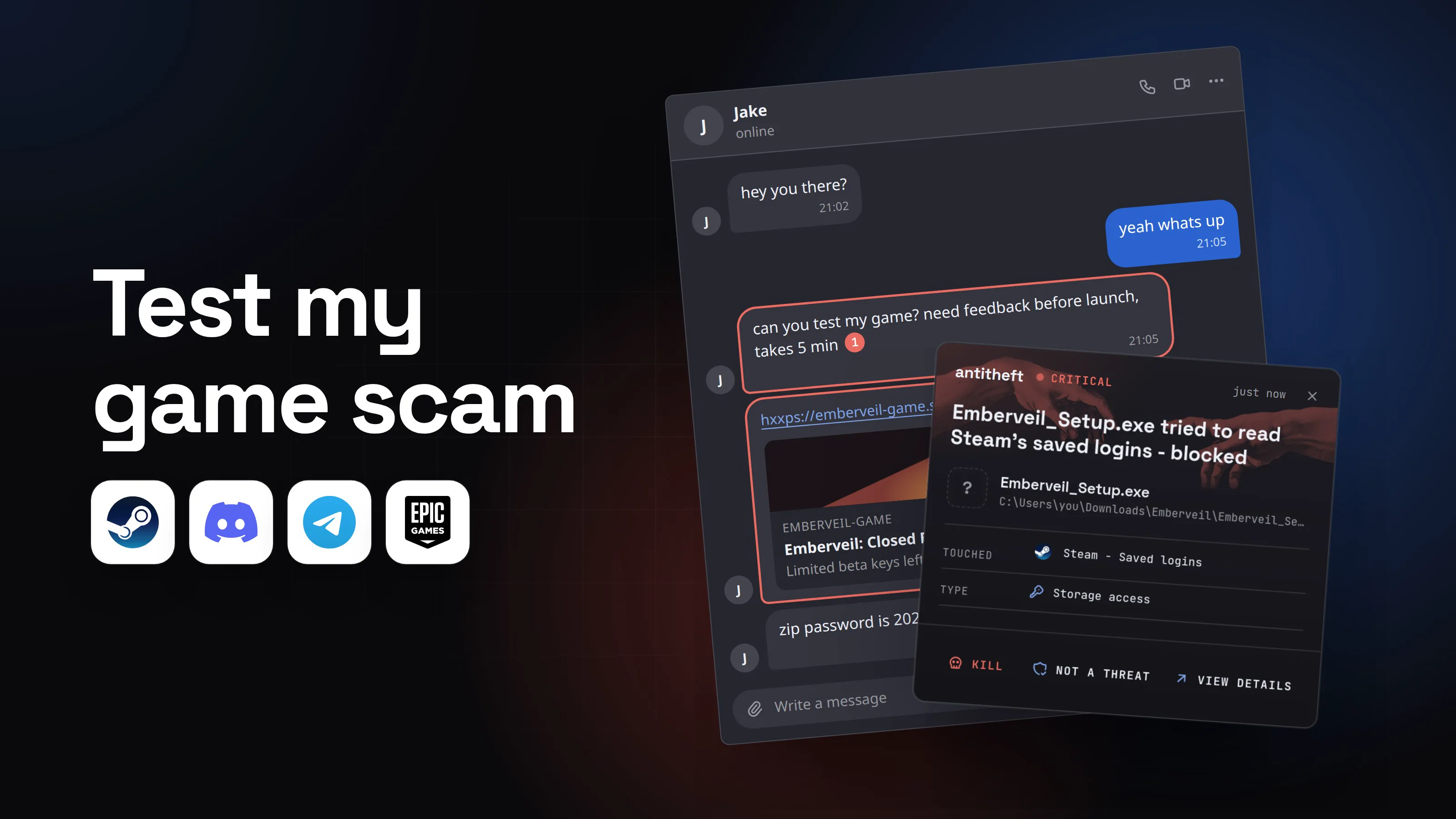
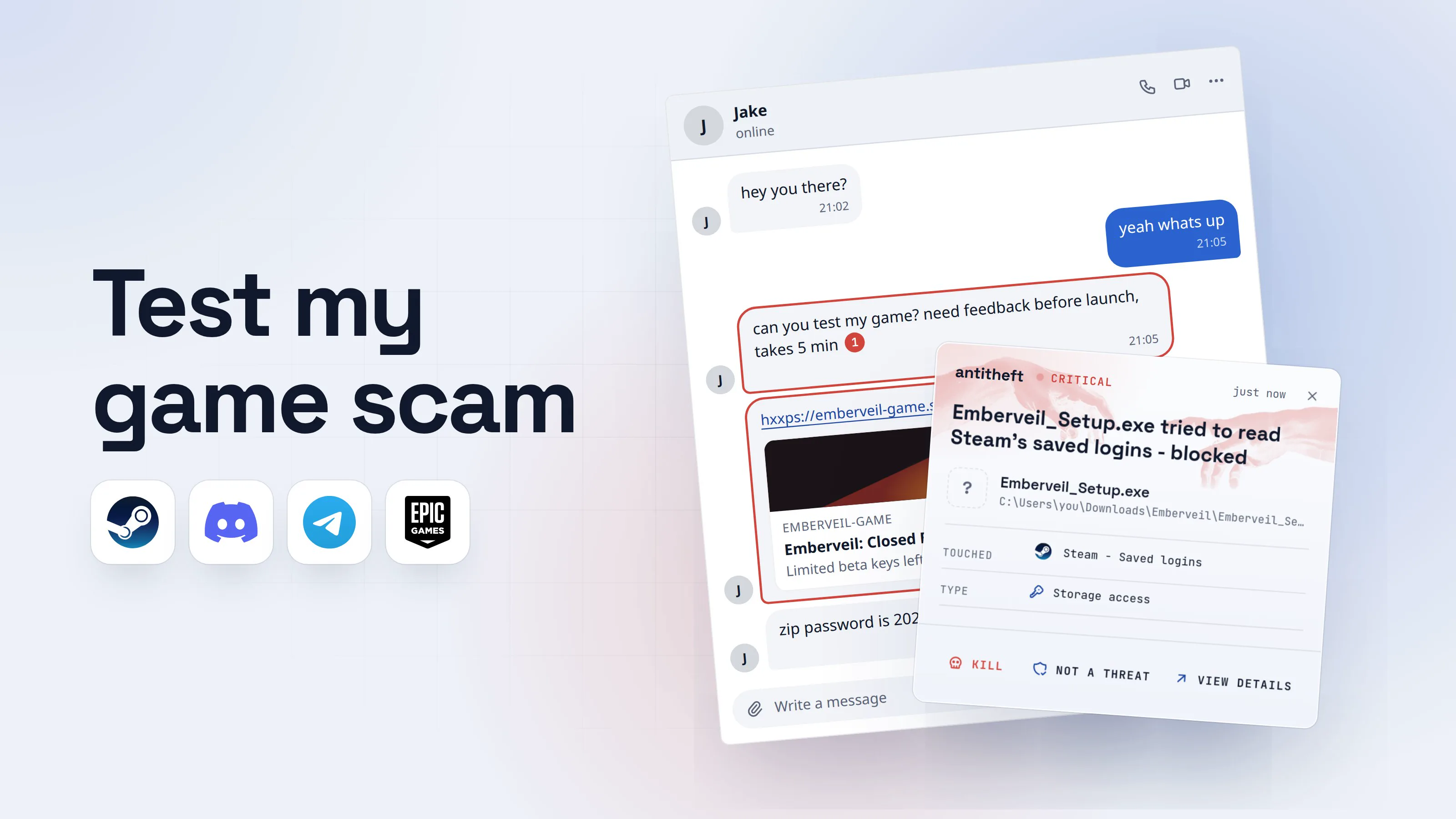
The test my game scam works because it does not come from a stranger. It comes from someone on your friends list, in a chat you use every day. "Hey, can you test my game? Need feedback before launch." It feels like a favour, not a risk.
But your friend did not write it. Their account was stolen, most often by the same trick, and the thief is now working through their contacts one by one. If you run the "game", you become the next account on the list.
This guide shows what the message looks like, the signs that give it away, what to reply, how to warn the friend, and what to do if you already ran it.
How the "test my game" scam works
The pattern is the same on Discord, Telegram and Steam chat:
- A friend's account gets stolen. Usually because they ran a fake game, cheat or file themselves.
- The thief messages everyone on that friends list. The story changes: a game beta, a school project, a photo, "is this you in this video?"
- The link leads to a polished fake site with a trailer, screenshots and a big download button. In one campaign researchers at JFrog took apart in April 2026, the screenshots were lifted from a real indie game and the "game" itself did not exist.
- The download is an archive with a password, given in the chat. That password keeps scanners from looking inside before you open it.
- The "installer" runs, shows an error or nothing, and quietly takes everything it can. Then your account starts sending the message.
Discord is the favourite hunting ground. Kaspersky blocked more than 18.5 million attempts to install malware disguised as Discord in the first ten months of 2025, over 14 times as many as the year before.
- 1A friend asks you to test their gameIt is their name, their picture and your shared chat history. Only the person typing has changed.Jakeonlinehey you there?21:02yeah whats up21:05can you test my game? need feedback before launch, takes 5 min121:05hxxps://emberveil-game.site/beta2Emberveil-gameEmberveil: Closed BetaLimited beta keys leftzip password is 2026 btw21:06Write a message
- 1Out of nowhere: Jake never said he was making a game
- 2A link to a site you have never heard of
- 2The link opens a polished game pageTrailers, reviews and screenshots cost nothing to copy. A real beta would be on Steam or itch.io.Download beta for Windows412 MB · Limited keys left2
Archive password: 2026
- 1A brand new site, not a store you know
- 2Not a game: the download is the stealer
- 3You run the installer and get an errorThe "game" never starts. By the time this box appears, the stealer has already run.Emberveil SetupOK
- 1A fake error, so you shrug and move on
- dangerIt takes your accounts and moves on to your friendsThis takes seconds. Most people find out when a friend asks about "their" game.
What the fake game takes from you
- Your Steam accountGames and items sold, the account resold
- Your chat loginsDiscord, Telegram, email: open without a password
- Every saved passwordEverything your browser remembers
- Your crypto walletsGone for good: a blockchain transfer cannot be undone
- Your friendsYour account now sends them the same message
Your name becomes the bait for the next person.
With antitheft
With antitheft, your Steam login, passwords and wallets stay put
- Caught the moment it reaches for your game accounts, passwords or wallets
- Refused before a single file is copied
- Even a brand new stealer that no antivirus has seen yet
- Touched
 Steam - Saved logins
- Type
- Storage access
Keep stealers out of your passwords and wallets
- Guards passwords, browser logins and wallets
- Stops malware your antivirus misses
- On Windows, macOS and Linux
For power usersWhy the stolen account opens without a password
Apps and browsers keep you logged in with a saved session: a cookie in the browser or a token in the app. The stealer copies those files and the thief loads them on their own machine, so the service thinks it is still you. No password prompt, no two-factor code. Acronis researchers note that a Discord token alone gives full access to the account. That is why changing the password is not enough after an infection: you also have to log out every device so the copied sessions stop working.
How to tell the message is a scam
Any one of these is enough to stop and check:
- It comes out of nowhere. A friend who never mentioned making a game suddenly needs a tester.
- There is a file or a link to download. A game, a "school project", a photo, a video "you are in".
- The site is new to you, and the game is not on Steam, itch.io or any store you know.
- The download has a password, sent in the chat.
- There is a rush. "Only a few keys left", "can you do it now", "takes 5 minutes".
- The friend writes oddly, in a different style, language or time zone than usual.
- They dodge a voice call or any question only the real friend could answer.
Game studios do not recruit testers this way. As Bitdefender puts it: "Companies will make official posts and launch dedicated campaigns for upcoming tests. They don't contact individual players to invite them to play."
What to reply to a "test my game" message
Do not click the link and do not open the file. Then check, without using the chat that sent it:
- Contact your friend another way. Call them, text their phone number or ask in person. The thief controls the chat, so asking "is this really you?" there gets the thief's answer.
- If you cannot reach them, reply with something only they would know, and do not accept "trust me" as an answer.
- Do not argue or tease the thief. There is nothing to win. Just stop replying.
- Report the message in the app, so the platform can lock the account.
How to warn the friend whose account was hacked
Your friend may have no idea. Every hour they wait, the account messages more people.
- Tell them outside the hacked app, by phone or text. Anything you write in that chat, the thief can read and delete.
- Tell them to act from their phone or another clean device, not the computer that ran the "game". It may still be infected.
- Send them the steps in the next section. Email password first, then every game and chat account.
- Warn your shared friends and servers that messages from that account are not from them right now.
If you already ran the "game"
Act fast and act from a different device, such as your phone:
- Disconnect the computer from the internet.
- Move your crypto first, to a brand new wallet with a new seed phrase made on a clean device. A blockchain transfer cannot be reversed, so every hour counts.
- Change your email password and turn on two-factor authentication there. Whoever has your email can reset everything else.
- Discord: change your password, then in User Settings open Devices and log out every device you do not recognize.
- Steam: change your password, then in Account Details open Manage Steam Guard and deauthorize all other devices. This removes every other computer from your account.
- Telegram and other chat apps: end every other active session in the privacy or devices settings.
- Change every password your browser had saved, starting with banking and shops.
- Tell your friends your account was taken, so nobody else runs the file.
- Clean or reinstall the computer before you log in to anything on it again.
For power usersExtra checks if you are technical
Look for new startup entries, scheduled tasks and unknown programs in your user folder. In Discord, revoke any authorized apps you do not recognise. On Steam, check that no Web API key exists that you did not create, and review trade offers sent after the infection. Revoke API tokens, SSH keys and cloud credentials if the machine held any. Some of these campaigns drop a remote access tool along with the stealer (the one JFrog analysed did), so a full reinstall is the safer choice over cleaning.
For the bigger picture of what a stealer takes and every way it gets in, read what an infostealer is and how to avoid one.
Why a game file from a friend is so dangerous
You trust the name, so you skip every check you would make for a stranger. And these fake games are rebuilt and repackaged all the time, so a fresh copy can run before any antivirus has learned to recognise it.
There is a better question than "is this file bad?". It is "who should be allowed to open my Steam login?". The answer is Steam, and nothing else. The same goes for your browser's passwords and your wallet files.
That is what antitheft does. Only the app that owns your game accounts, passwords, browser logins and wallets may open them. A fake installer from your Downloads folder that reaches for your Steam login is refused, even if nobody has seen that stealer before.
Questions people ask
Is the "test my game" message always a scam?
When it arrives out of nowhere with a file or a link to a site you have never seen, treat it as one until the friend confirms it somewhere else, like a phone call. Real developers who want testers invite people through Steam, itch.io or their own community, not with a zip file and a password in a private message.
My friend says the game is real. How do I know it is really them?
Ask in a different place than the chat that sent the link: call them, text their phone number or ask in person. The thief controls the hacked account, so anything you ask inside that chat is answered by the thief.
I only downloaded the file but did not open it. Am I safe?
Almost certainly. The harm starts when the program runs. Delete the file and the archive, empty the recycle bin, and warn the friend that their account is sending it.
Does two-factor authentication stop this?
Not on its own. The stealer copies the files that keep you logged in, so the thief walks in as you without ever seeing a login page or a code. Two-factor still matters, but after an infection you also have to log out every device, not just change the password.
Can this happen on a Mac?
Most of these fake games are Windows programs, because that is where most players are. Stealers built for macOS exist too, and the rule is the same everywhere: a game from a private message is never something to run.
the short version
The "test my game" scam is a message from a friend whose account was already stolen, asking you to try a new game, a school project or a video. The "game" is a stealer: it takes your game accounts, chat logins, saved passwords and wallets, then uses your account to send the same message to your friends. Never run a file from a chat, and check with the friend by phone before you click anything.
sources
- JFrog Security Research: Astral Injection, from a fake video game to XWorm via npm and Discord (Apr 2026)
- Bitdefender: The fake game playtest scam explained (Mar 2026)
- Kaspersky: 6.4 million shopping phishing attempts and over 20 million gaming attacks detected in 2025 (Nov 2025)
- Acronis Threat Research Unit: Threat actors go gaming, Electron-based stealers in disguise (Jul 2025)
- Steam Support: Steam Guard (deauthorizing devices)