Malicious VS Code extensions: protect VS Code and Cursor
Malicious VS Code extensions run with your full user rights. See how GlassWorm and hijacked publishers hit VS Code and Cursor, and how to lock your editor down.
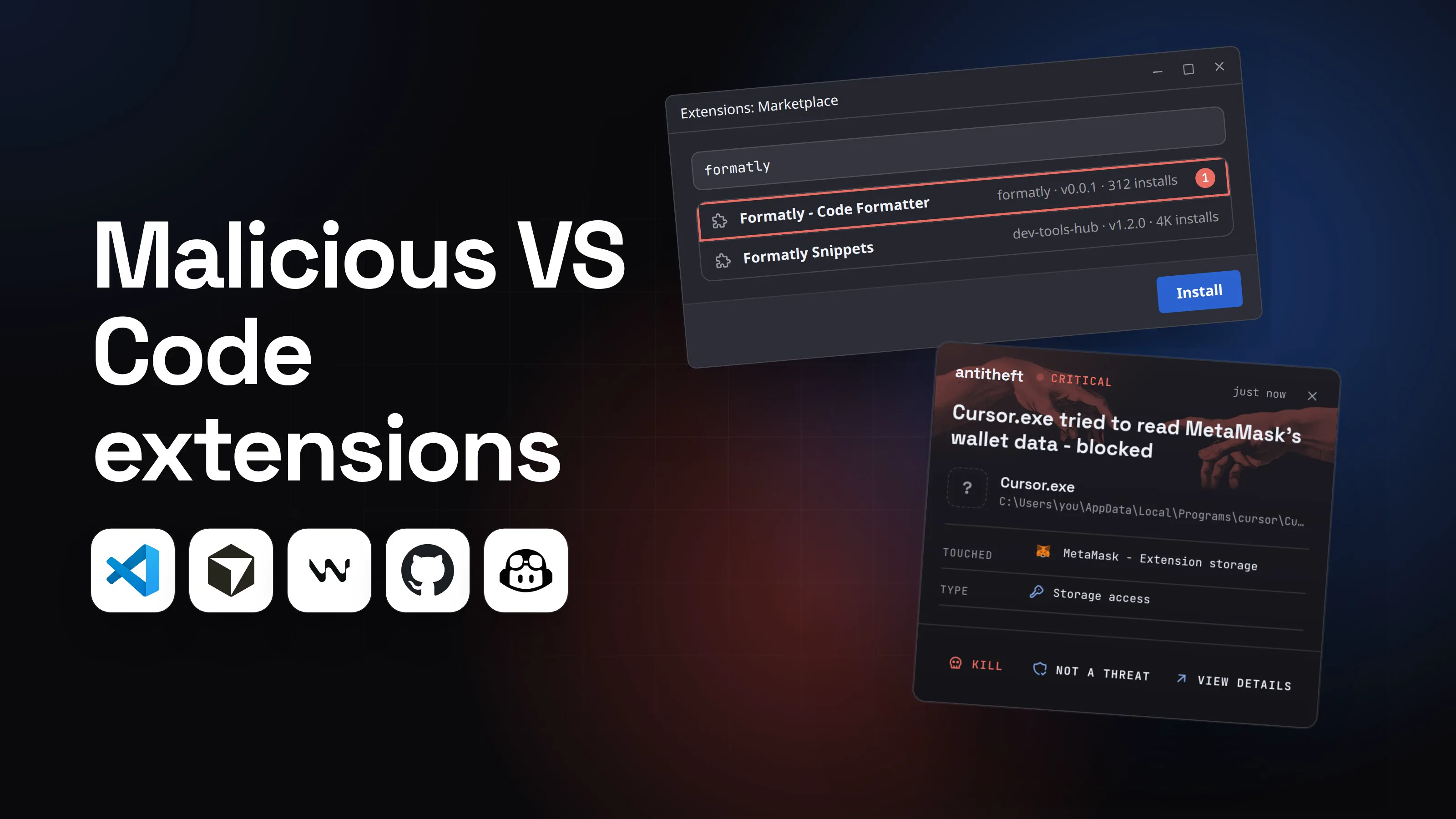
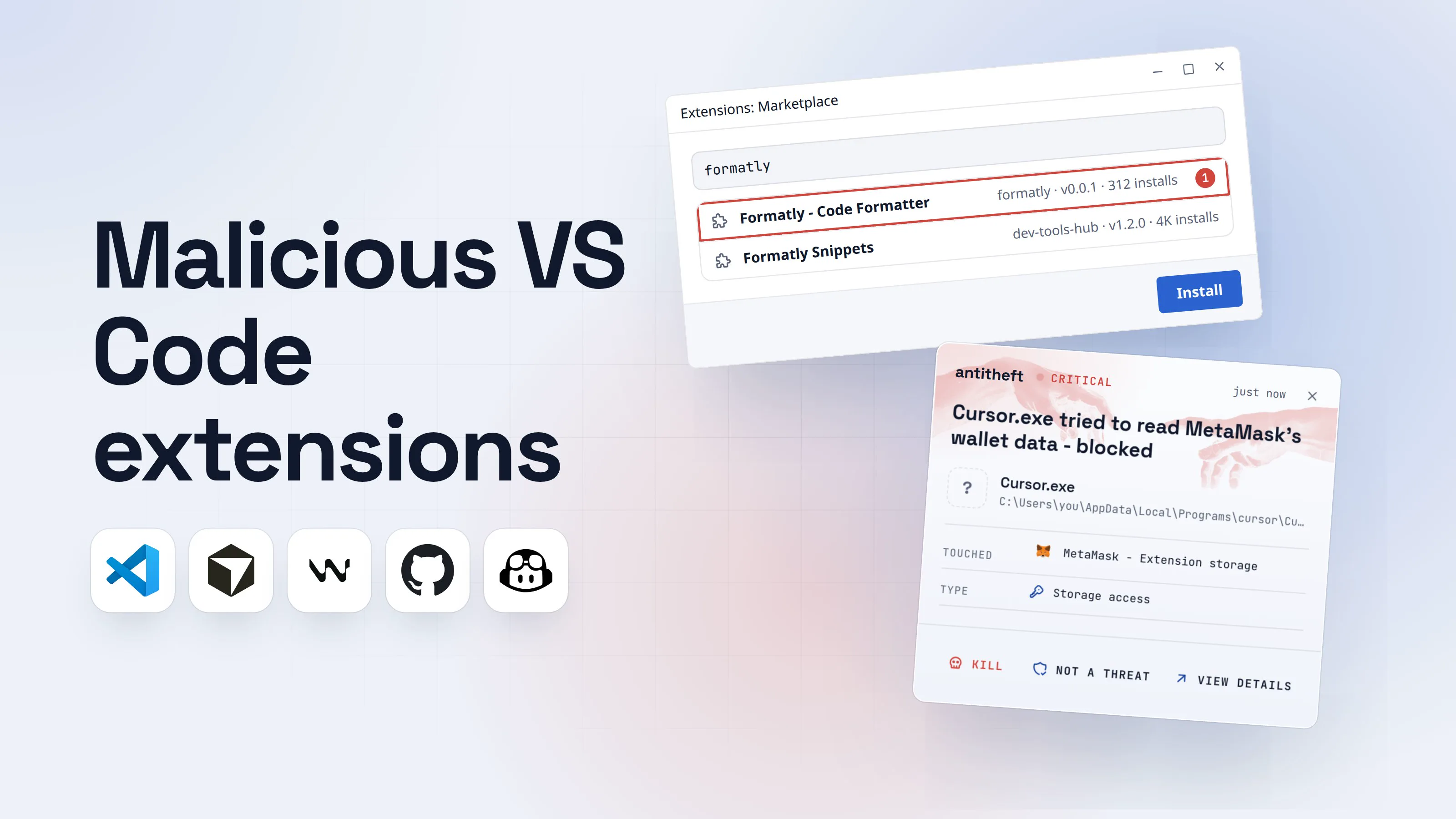
Malicious VS Code extensions are add-ons for Visual Studio Code, Cursor, Windsurf or VSCodium that steal from the developer who installs them. They are not a theory. Since October 2025, researchers have reported wave after wave: extensions with invisible code, popular extensions pushed out by hijacked publishers, and fake AI assistants that work exactly as advertised while they rob you.
So, are VS Code extensions safe? Most are. But the editor gives every one of them the same power it has itself, and the stores cannot catch everything. This guide covers what an extension can reach, where the attacks came from, one walkthrough in Cursor, and a step-by-step way to protect VS Code and Cursor.
What can a VS Code extension do on my computer?
An extension can do anything VS Code can do, which is anything you can do. Microsoft says it plainly: "The extension host has the same permissions as VS Code itself." That means an extension can read and write files, make network requests, run other programs and change your settings.
There is no permission prompt for any of that. There is no sandbox. A colour theme and a full debugger get the same access. Most extensions also start automatically when the editor opens, and update themselves in the background.
That makes your editor one of the richest targets on a developer's machine. It sits next to your source code, your terminal, your SSH keys, your cloud logins and your browser profile, all readable by your user account.
VS Code Marketplace vs Open VSX: which store does my editor use?
Visual Studio Code installs from Microsoft's Visual Studio Marketplace. Cursor, Windsurf and VSCodium install from Open VSX, an open registry run by the Eclipse Foundation, because Microsoft's terms forbid other products from using its Marketplace.
The two stores protect you differently:
- Microsoft's Marketplace scans every published package for malware, runs new extensions in a "clean room" VM to watch their behaviour, signs every package, blocks names that copy official publishers, and shows a blue check for publishers who proved they own their domain.
- Open VSX added scanning at publish time and shorter-lived publishing tokens in October 2025, after GlassWorm. Cursor goes further and routes every search and download through its own proxy, which runs "automated malware and supply-chain analysis" before an extension is offered.
The gap that matters: a name on Open VSX is not proof of who wrote it. Many real extensions were never published there by their authors, so anyone can claim the same name and publisher name first. That is exactly what happened in July 2026.
Real attacks: GlassWorm, hijacked publishers and fake AI assistants
Here is what researchers documented in the last twelve months, with dates from their own reports.
- GlassWorm appears (October 17, 2025). Koi Security found extensions on Open VSX, and one on Microsoft's Marketplace, carrying code written in invisible Unicode characters, so it did not show up when you read the source. It stole GitHub, npm and Open VSX logins, went after dozens of crypto wallet extensions, and turned the machine into a proxy with a hidden remote desktop. Stolen publisher logins were used to poison more extensions.
- GlassWorm on Microsoft's Marketplace (December 2025). Secure Annex found 24 more, 17 of them on the VS Code Marketplace, posing as Flutter, React, Tailwind, Prettier, Claude and icon themes, with download counts pumped up so they ranked next to the real ones.
- Fake AI assistants (January 2026). Two working "ChatGPT" coding assistants with about 1.5 million installs sent every file you opened to servers in China (Koi's "MaliciousCorgi"). A "ClawdBot Agent" extension, for an AI tool that never had one, installed a remote access tool on Windows the moment VS Code started (Aikido).
- A hijacked publisher (January 30, 2026). Four extensions from one long-standing Open VSX developer, with over 22,000 downloads, got malicious updates that stole browser logins, cookies, the macOS keychain, crypto wallets and GitHub and npm tokens (Socket).
- Sleepers and extension packs (March to April 2026). Socket counted 72, then 73 more GlassWorm extensions that looked harmless and later turned bad through an update, or pulled in a second, malicious extension as a "dependency". Some posed as Claude Code, Codex and Antigravity tools.
- Nx Console (May 18, 2026). Attackers used stolen publishing credentials to push version 18.95.0 of a popular extension with 2.2 million installs. It was live for less than 20 minutes and took GitHub, npm, AWS, Vault and 1Password secrets. GitHub later said a poisoned VS Code extension on an employee's device led to the theft of about 3,800 of its internal repositories.
- Evil twins on Open VSX (July 26 to August 1, 2026). Manifold Security found 77 extensions that copied the name, publisher name and description of real Marketplace extensions, mostly at version
0.0.1, and sent out machine and Git details.
The pattern: you rarely install something obviously bad. You install something that looks right, or something good that turns bad in an update.
How a lookalike extension in Cursor goes for your wallet
This is how it looks from your chair, built on the evil-twin and GlassWorm reports. The extension and every number in it are made up.
- 1You set up Cursor and reinstall the formatter you use every daySame name, same publisher name as in VS Code. Nothing looks off at a glance.Extensions: MarketplaceformatlyFormatly - Code Formatterformatly · v0.0.1 · 312 installs1Formatly Snippetsdev-tools-hub · v1.2.0 · 4K installsInstall
- 1The real one has millions of installs and years of versions
- 2The details page is thinNo badge, no history, no source code link. Three giveaways in one place.Extension: Formatly - Code FormatterPublisherformatly (not verified)1Version0.0.1, published 3 days agoRepositorynoneActivationOn startupInstall
- 1The real author never published on Open VSX, so anyone could claim the name
- 3It formats your code perfectly. Then an update arrivesUpdates install themselves. The harmful part came after you trusted it.ExtensionsFormatly - Code FormatterUpdated to v0.0.2 · Restart Extensions1formatly-runtimeInstalled as a dependency of Formatly2
- 1New code, no question asked
- 2A second extension pulled in quietly, the GlassWorm trick
- dangerIt reaches for your browser, your wallet and your tokensTo your computer this is Cursor itself, a program you trust, reading files.
What the extension takes from you
- Your browser crypto walletsMetaMask and other wallet extensions, emptied for good
- Every saved browser passwordEmail, GitHub, cloud consoles, exchanges
- Your logged-in sessionsAccounts open without a password or 2FA code
- Your GitHub and npm tokensUsed to poison your own repos and packages
All of it while your code still formats nicely.
With antitheft
With antitheft, the stealer is stopped at your passwords
- Caught the moment it reaches for your passwords or wallets
- On Linux refused before the file opens, on Windows and macOS stopped right after
- Even the most advanced malware, the kind no antivirus has seen yet
- Touched
 MetaMask - Extension storage
- Type
- Storage access
- Touched
- MetaMask - Extension storage
- Type
- Storage access
- Touched
- MetaMask - Extension storage
- Type
- Storage access
Keep stealers out of your passwords and wallets
- Guards passwords, browser logins and wallets
- Stops malware your antivirus misses
- On Windows, macOS and Linux
An extension has no process of its own: it runs inside the editor. So the request for your wallet comes from Cursor, a program you installed on purpose. antitheft does not care how trusted the asker is. Only your browser may open your browser's wallet and passwords. On Linux the editor is refused, whichever extension is behind it; on Windows and macOS antitheft stops it the moment it touches them.
How to protect VS Code (and Cursor) from malicious extensions
Fewer extensions, from known publishers, on an allowlist, with updates you can see. In order:
- List what you have. Run
code --list-extensions --show-versions(Cursor:cursor, Windsurf:windsurf). Uninstall anything you do not use every week:code --uninstall-extension publisher.name. - Check the publisher, not the name. Look for the verified badge, years of version history, a repository link and an install count that matches how famous the tool is. On Open VSX, a
0.0.1copy of a popular extension is the classic evil twin. - Install from the vendor's own page. For an AI assistant, start from the company's website and follow its link to the store. If a tool never announced an extension, the one in the store is not theirs.
- Put your extensions on an allowlist. In VS Code 1.96 and later,
extensions.allowedin your user settings lets only the publishers and extension IDs you list install; anything else already installed gets disabled. Cursor teams get the same control as AllowedExtensions in the team dashboard or via MDM. - Slow updates down. VS Code waits 12 hours after a release before auto-updating (
extensions.autoUpdateDelay). Never set it to0. For an extension you rarely need fresh, turn its Auto Update off with a right-click. Cursor teams can set a Marketplace Install Cooldown. - Read workspace recommendations before you click. A repository's
.vscode/extensions.jsonmakes the editor suggest extensions. In a project you did not write, look each one up first. - Do not switch off signature checks. Keep
extensions.verifySignatureat its default. - Keep wallets and real logins off the machine where you try new tools, or at least out of reach: a separate user account or a VM for experiments.
For power usersPaths, settings and what to look for
- Extension folders. VS Code:
~/.vscode/extensions(macOS, Linux),%USERPROFILE%\.vscode\extensions(Windows). Cursor:~/.cursor/extensions,%USERPROFILE%\.cursor\extensions. Windsurf:~/.windsurf/extensions. VSCodium:~/.vscode-oss/extensions. - Allowlist in user
settings.json:"extensions.allowed": {"microsoft": true, "github": true, "esbenp.prettier-vscode": true, "dbaeumer.vscode-eslint": "stable"}. A publisher key allows all its extensions; an extension ID with"stable"blocks pre-releases; a version list pins exact versions. Admins enforce it with theAllowedExtensionspolicy, which wins over user settings. - Updates:
"extensions.autoUpdateDelay": 12is the default. The command Disable Auto Update for Extensions turns updates off for everything. - In each extension's
package.json, look atactivationEvents("*"or"onStartupFinished"means it starts with the editor) and atextensionPack/extensionDependencies, which is how GlassWorm pulled in its second extension. - Search for one you heard about, macOS and Linux:
ls ~/.vscode/extensions ~/.cursor/extensions | grep -i <name>. Windows PowerShell:Get-ChildItem $env:USERPROFILE\.vscode\extensions, $env:USERPROFILE\.cursor\extensions | Where-Object Name -like '*<name>*'.
What to do if you installed a malicious extension
Act as if a stealer ran, because one did. Do the account steps from a different, clean device.
- Uninstall the extension and anything it pulled in, then close every editor window.
- Move your crypto first. Create a new wallet on a clean device and send everything there.
- Change your important passwords, email first, then GitHub, cloud consoles and exchanges, and sign out of every session so stolen cookies stop working.
- Rotate every developer secret: GitHub and npm tokens, SSH keys, cloud keys,
.envvalues and AI provider API keys. Check GitHub for new keys, OAuth apps and pushes you did not make, and npm for versions you did not publish. - Check what else changed: new extensions, startup items, scheduled tasks, LaunchAgents or systemd user services.
- Reinstall the system if a wallet or a password store was in reach. GlassWorm installed a hidden remote desktop; an uninstall does not remove that.
Why one bad extension is a supply chain problem
A stolen publisher login turns one victim into thousands. That is how GlassWorm spread and how Nx Console reached GitHub. Extensions are one route of a wider problem: the same theft runs through npm packages, hijacked maintainers and poisoned updates. Our guide to supply chain attacks shows every route, and AI agent supply chain attacks covers the extensions and plugins that target Claude Code and Cursor users.
Questions people ask
Are VS Code extensions safe?
Most are, but every one of them runs with the same permissions as VS Code itself: Microsoft's own documentation says an extension can read and write your files, make network requests and run other programs. Install few, install from verified publishers, and treat each update as new code. The steps are in the section on how to protect VS Code.
Is Open VSX safe for Cursor, Windsurf and VSCodium?
It is the store those editors use, and it has been hit harder than Microsoft's. GlassWorm appeared there in October 2025 and kept coming back through 2026, and in July 2026 Manifold Security found 77 "evil twin" extensions that copied the name and publisher name of real VS Code extensions whose authors had never published on Open VSX. Cursor scans extensions through its own proxy, but check the publisher, the verified badge, the version history and the repository link before you install anything.
What is GlassWorm?
GlassWorm is a malware campaign in VS Code-style extensions, first reported by Koi Security on October 17, 2025. It hid code in invisible Unicode characters, read its instructions from the Solana blockchain, stole GitHub, npm and Open VSX logins plus dozens of crypto wallet extensions, and used stolen publisher logins to poison more extensions. It returned in waves on Open VSX and Microsoft's Marketplace through at least June 2026.
How do I see which extensions I have installed?
Run code --list-extensions --show-versions in a terminal. Cursor and Windsurf ship the same command as cursor and windsurf. The files themselves live in ~/.vscode/extensions on macOS and Linux and %USERPROFILE%\.vscode\extensions on Windows; Cursor uses .cursor\extensions in the same home folder.
What is the best protection for VS Code and Cursor?
Fewer extensions, from verified publishers, on an allowlist (extensions.allowed in VS Code, AllowedExtensions for Cursor teams), with automatic updates delayed rather than instant. Then make sure that what a bad extension can reach is limited: on Linux antitheft makes your browser passwords, logins, session cookies and crypto wallets openable only by the app they belong to, so an extension reaching for them is refused, and on Windows and macOS it stops the editor the moment it touches them. For your GitHub and npm tokens, SSH keys and .env files, antitheft's Activity view shows you which programs read them. Keep tokens short-lived and rotate them after any scare.
Can a VS Code theme or icon pack be malicious?
Yes. A theme is an extension like any other, and GlassWorm's December 2025 wave on Microsoft's Marketplace included icon themes. Anything that says "extension" can carry code, however small its job looks.
the short version
Malicious VS Code extensions are real and frequent: an extension runs with your full user rights, with no sandbox, so a bad one can read your files, your browser data and your tokens. In 2025 and 2026 GlassWorm and its copycats hit both Microsoft's Marketplace and Open VSX, the store Cursor, Windsurf and VSCodium use. Keep few extensions, only from verified publishers, put them on an allowlist, and delay updates.
sources
- Visual Studio Code Docs: Extension runtime security
- Visual Studio Code Docs: Extension Marketplace (CLI, install folders, auto-update delay, recommendations, signature verification)
- Visual Studio Code Docs: Manage extensions in enterprise environments (extensions.allowed, AllowedExtensions policy)
- Cursor Docs: Extensions (Open VSX, marketplace proxy scanning, verified publishers, team controls)
- Windsurf Docs: Recommended extensions (Open VSX)
- VSCodium Docs: Extensions and Marketplace (open-vsx.org as the extension gallery)
- The Hacker News: Self-spreading GlassWorm infects VS Code extensions (Koi Security's report, first seen October 17, 2025) (Oct 2025)
- Eclipse Foundation: Open VSX security update, October 2025 (Oct 2025)
- Secure Annex: Glassworm's resurgence (24 extensions on the VS Code Marketplace and Open VSX) (Dec 2025)
- The Hacker News: GlassWorm returns with 24 malicious extensions (17 on the VS Code Marketplace, 7 on Open VSX) (Dec 2025)
- The Hacker News: Malicious VS Code AI extensions with 1.5 million installs steal developer source code (Koi Security's MaliciousCorgi report) (Jan 2026)
- Aikido: Fake Clawdbot VS Code extension drops ScreenConnect (Jan 2026)
- BleepingComputer: VSCode IDE forks expose users to "recommended extension" attacks (Koi Security) (Jan 2026)
- Socket: GlassWorm loader hits Open VSX via suspected developer account compromise (Jan 2026)
- Socket: 72 malicious Open VSX extensions linked to a transitive GlassWorm campaign (Mar 2026)
- Socket: 73 Open VSX sleeper extensions linked to GlassWorm show new malware activations (Apr 2026)
- StepSecurity: Nx Console VS Code extension compromised (May 2026)
- GitHub Blog: Investigating unauthorized access to GitHub's internal repositories (May 2026)
- Socket: GlassWASM, WebAssembly malware in Open VSX extensions (Jun 2026)
- Manifold Security: 77 "evil twin" Open VSX extensions (Aug 2026)
- Socket: Open VSX unblocks extension IDs used in malware campaign (Aug 2026)